Find Similar AliExpress Products: Free Tool 2026
How to Find Similar Products on AliExpress — Free Look-Alike Search
Quick answer: Use the Similar tab in the free AliShopping Tools Chrome extension — open any AliExpress product page, click Similar, and it instantly surfaces look-alike listings ranked by price, supplier trust, and review quality. This replaces manual reverse-image searches across multiple tabs and lets you find a better-priced or better-supplied version of the same product in under a minute.
You found a product you want to test. Great. Except the listing you are looking at is the 14th result on page two, priced 18 percent above the same product sold by a different seller on page five, with 40 percent fewer reviews and a shipping delay most buyers only discover after ordering. You would not know any of that without clicking 20 more tabs.
The Similar tab in the AliShopping Tools Chrome extension closes that gap. It scans AliExpress for look-alike listings of whatever product you are viewing, lines them up by price, supplier trust, and review quality, and lets you jump to the best version of the same item in one click.
This tutorial walks through how the Similar tab works, how to open it on any AliExpress product page, and how to read the comparisons so you never commit to the wrong supplier again.
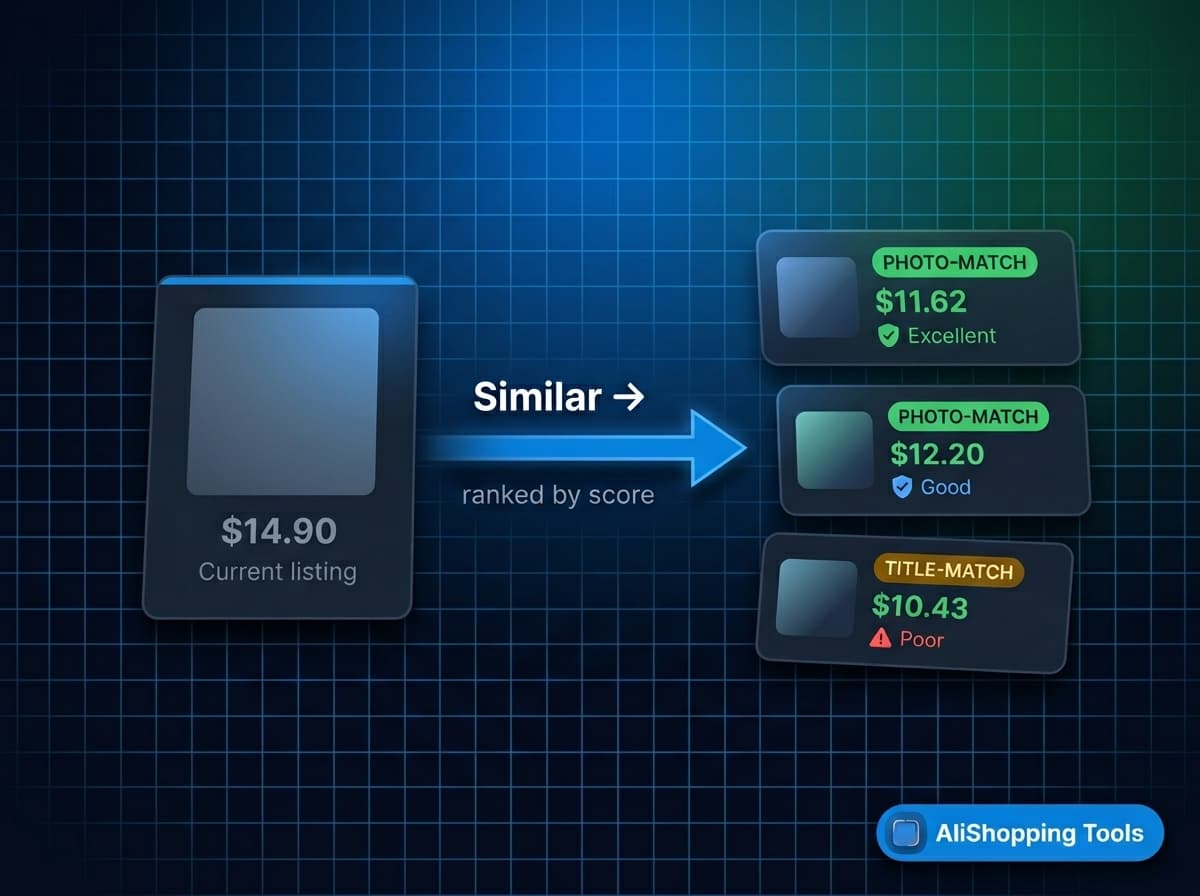
What the Similar tab does
The Similar tab is part of the free AliShopping Tools Chrome extension. When you open any AliExpress product URL, it runs a look-alike search on the current product image plus the cleaned product title, filters to listings that share at least three visual or specification features, and sorts them so the best-priced, best-supplied options sit at the top.
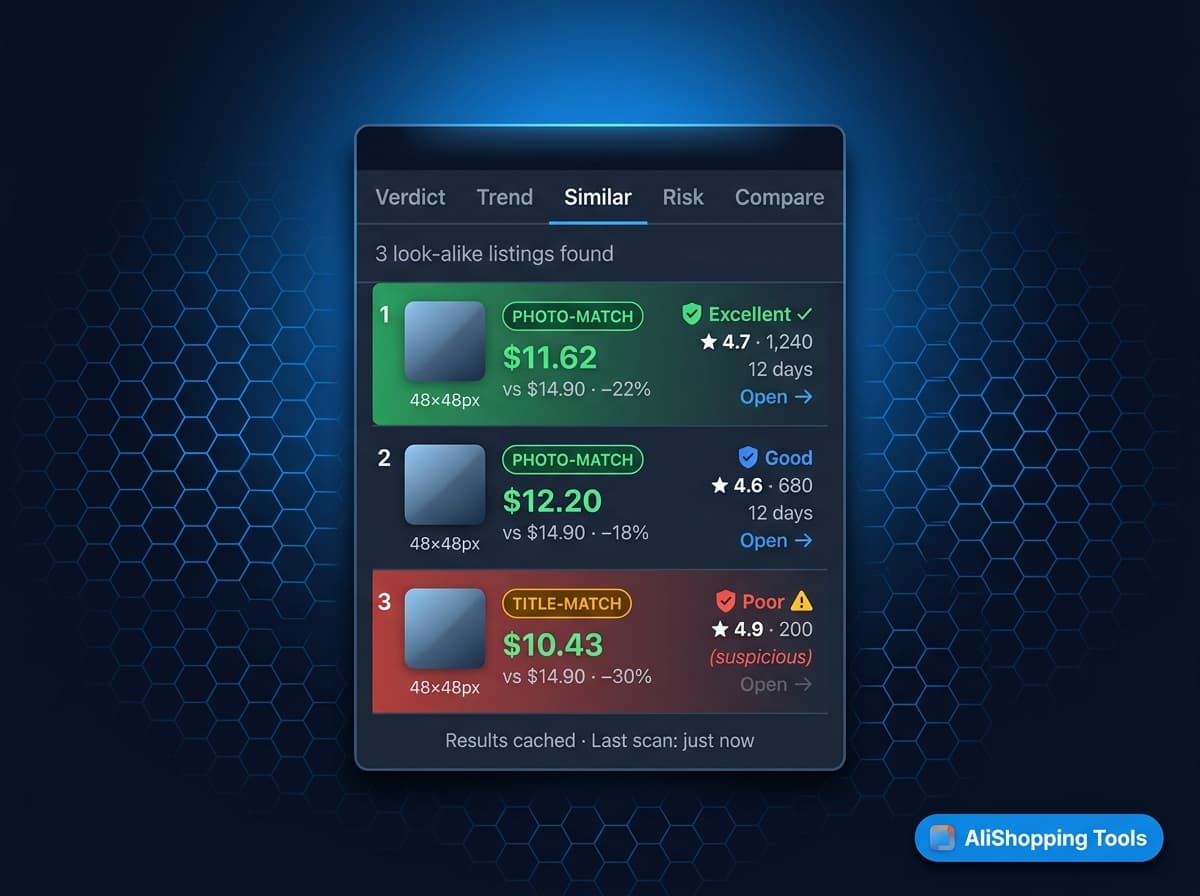
Each row shows the listing image, the price, the supplier name + trust score, the review count and rating, and a one-click "Open" action. Rows that match on photo (reverse-image hit) are flagged as Photo-Match; rows that match only on title + category are flagged as Title-Match.
The point is not to give you 100 near-identical listings. The point is to show you the 3 to 8 listings that are actually competing for the same product, ranked by the signals that matter.
How to access the Similar tab
Step 1 — Install the extension. Install AliShopping Tools from the Chrome Web Store. No account, no credit card, no trial timer.
Step 2 — Open an AliExpress product page. The extension injects its sidebar panel automatically on *.aliexpress.com product URLs.
Step 3 — Click the Similar tab. It sits alongside Verdict, Trend, Profit, Competition, Risk, Compare, and the other tabs. The look-alike scan runs the first time you click; subsequent clicks read from cache.
Reading the Similar tab results
The five signals at a glance:
| Signal | What it means | Decision weight |
|---|---|---|
| Photo-Match vs Title-Match | Photo-Match means reverse-image search hit — same product visually | High — Photo-Match beats Title-Match |
| Price delta | Percentage cheaper or more expensive than the listing you opened | High — target 15 percent plus cheaper |
| Supplier trust score | Excellent / Good / Fair / Poor rating from the Risk tab methodology | High — skip Poor regardless of price |
| Review volume and rating | 500 plus reviews at 4.5 plus is strong; too-clean distributions are suspect | Medium — cross-check with fake-review guide |
| Shipping time | Promised delivery window — verify against recent reviews | Medium — matters more for US/EU |
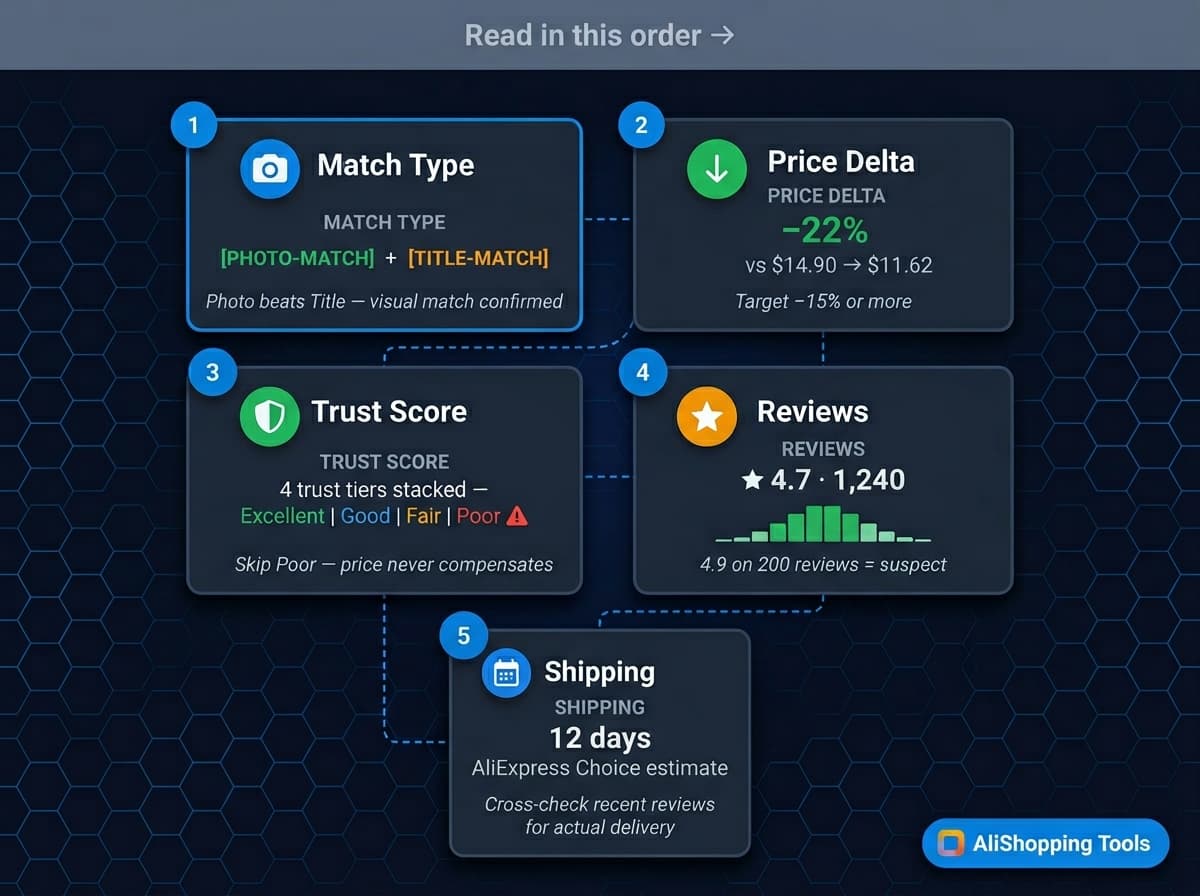
Each similar-product row exposes these five signals. Read them in this order:
- Photo-Match vs Title-Match badge. Photo-Match is stronger evidence that it is the same product. Title-Match can include near-variants (different color, different size) — confirm by opening the listing and scanning the main image.
- Price delta. The percentage shown is relative to the product you are currently viewing. Negative = cheaper. A -20 percent delta on a Photo-Match is usually the headline signal.
- Supplier trust score. Good or Excellent means the store has been reviewed cleanly on the Risk tab's methodology. Poor means you should sanity-check the supplier before sourcing.
- Review volume + rating. 500+ reviews at 4.5+ stars is more trustworthy than 5,000 reviews at 4.9 stars with a suspiciously clean distribution. See the AliExpress fake reviews guide for the distribution check.
- Shipping time. Some listings promise 7-day shipping but ship in 28. The Similar tab surfaces the shipping promise — cross-check against recent reviews before you commit.
The cheapest Photo-Match with a Good trust score is usually the right sourcing target. Occasionally a slightly more expensive listing is better because the cheapest one is a known review-farm supplier — trust the trust score, not just the price.
Real-world workflow
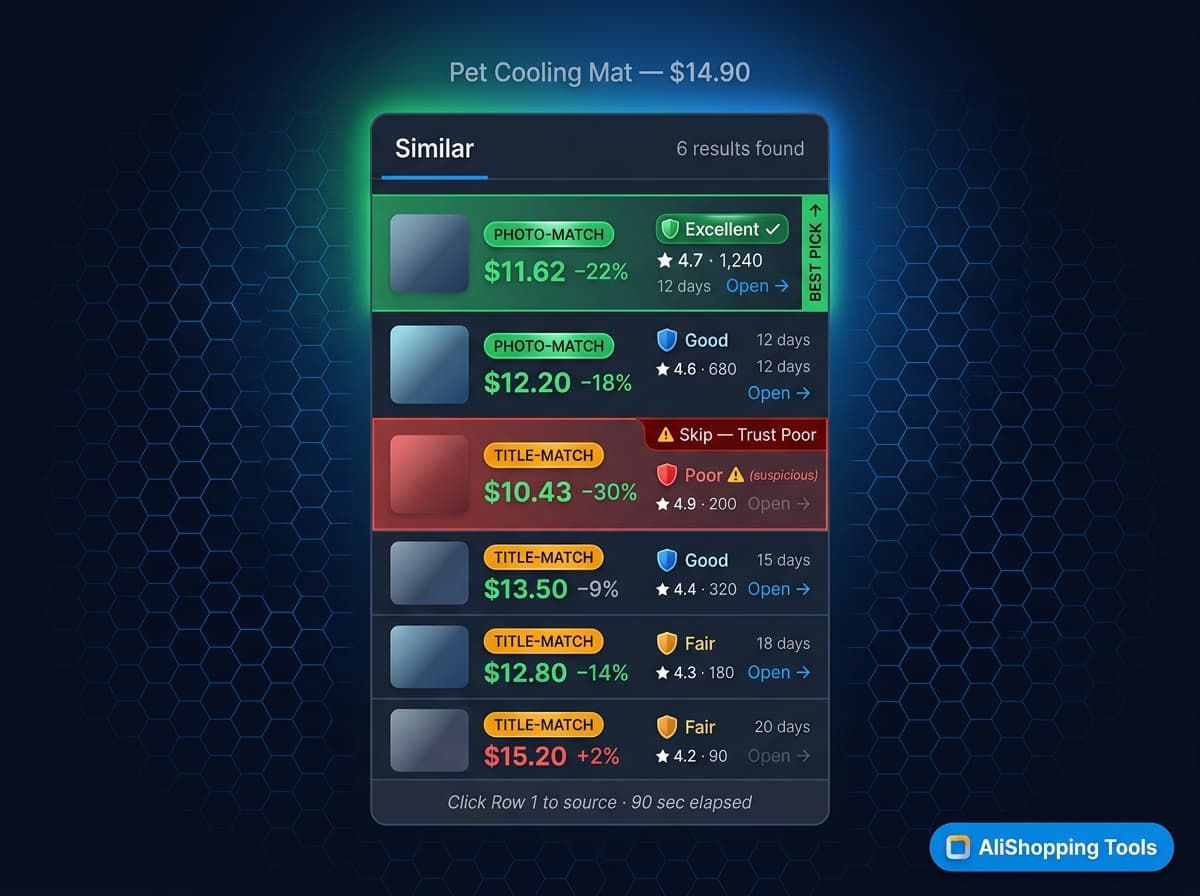
You are on an AliExpress product page for a pet cooling mat. Listing price is $14.90. You click the Similar tab.
Six rows appear. Row 1: Photo-Match, -22 percent ($11.62), Trust Excellent, 1,240 reviews at 4.7 stars, 12-day shipping. Row 2: Photo-Match, -18 percent, Trust Good, 680 reviews at 4.6. Row 3: Title-Match, -30 percent, Trust Poor, 200 reviews at 4.9 (suspicious distribution). Rows 4-6 are variants or lower-match.
You click Row 1. The listing opens, photos match, supplier has a two-year store history, shipping promise matches reviews. You source from Row 1 and skip the other five. Time elapsed: under 90 seconds.
Without the Similar tab, you would have reverse-image-searched manually, opened 10 tabs, cross-checked each supplier on the Risk tab, and lost 20 minutes. The tab compresses that into a single ranked list.
Common mistakes
- Chasing the lowest price without reading trust. Row 3 in the example above is 30 percent cheaper but sources from a Poor-trust seller. You will save $3 per unit and spend $30 per dispute.
- Ignoring Title-Match entirely. Photo-Match is stronger, but a well-reviewed Title-Match with the same specs can be the same product shot differently. Confirm by opening it.
- Assuming Similar = identical. Variants (different color, different cable length) will appear. Always confirm specs in the listing's specifications table before sourcing. See the AliExpress trust hub for the specs-table habit.
- Running the scan on a variant URL. If you are viewing a specific SKU, the scan anchors on that SKU's image. Open the main product URL for broader look-alike coverage.
FAQ
Is the Similar tab really free? Yes. The entire AliShopping Tools extension is free on the Chrome Web Store. No account, no paywall.
How is this different from Google Images reverse search? Google Images will show you websites that use the same photo. The Similar tab scopes the search to AliExpress listings only, then layers supplier trust, price delta, and review quality on top. It is a research tool, not just a reverse-image tool.
Why do some products show only 1 or 2 similar listings? Some products are genuinely unique or sold by a single supplier with an exclusive image set. The scan returns what it finds — a short list is sometimes the correct answer.
Can I use the Similar tab on AliExpress variants (color / size SKUs)? You can, but for broader results open the main product URL. Variant URLs anchor the scan narrower.
Does the Similar tab cache results? Yes. The first click on a product runs the full scan; subsequent clicks read from cache for 24 hours. Refreshing the page forces a new scan.
Install and find better suppliers on your next product
The Similar tab is the fastest way to stop sourcing from the first listing you happen to click on. Pair it with the Compare tab for head-to-head feature comparison, the Risk tab for supplier sanity, and the Verdict tab for the overall Buy/Research/Skip call.
Install AliShopping Tools — Free on Chrome Web Store
Next AliExpress product you open, run the Similar scan first. The better-priced version of the same product is usually one click away.
Ready to find winning products?
Try AliShopping Tools — 15 free AI tools for product research.
Quick answers
Frequently Asked Questions
1How do I find similar products on AliExpress for free?
Install the AliShopping Tools Chrome extension and open any AliExpress product page.
The Similar tab automatically scans AliExpress for look-alike listings and lines them up by price, supplier trust score, and review quality.
You can see the same product from five to fifteen different sellers in one panel, sorted by best combined score.
No account needed, no credit card, runs entirely in the browser as of April 2026.
2What is the Similar tab in AliShopping Tools?
The Similar tab is a feature of the free AliShopping Tools Chrome extension that surfaces look-alike AliExpress listings for whatever product you are currently viewing.
It compares photos, price, supplier trust rating, review quality, and shipping time side by side so you can switch to a better-priced or better-supplied version of the same product in under a minute.
It replaces manual reverse image search across ten browser tabs.
3Can I compare AliExpress sellers for the same product?
Yes.
The Similar tab groups listings of the same physical product from different sellers and shows side-by-side comparisons of price, MOQ, shipping options, supplier age, trust score, and review count.
This is the fastest way to find whether your current listing is actually the best price for that product or whether a less-popular seller is offering it thirty percent cheaper.
4Is there a better version of the AliExpress product I am viewing?
Often yes.
The AliExpress search algorithm does not always surface the cheapest or highest-trust listing first — it weighs sales volume, store rank, and ad spend.
The Similar tab shows you whether a cheaper, better-reviewed, or faster-shipping version of the same product exists from a different seller.
In many categories the best listing is on page five of AliExpress search, not page one.
5Does finding similar products work on all AliExpress categories?
The Similar tab works across all AliExpress categories as of April 2026.
It performs best on categories with many sellers per product such as electronics accessories, fashion, home goods, and consumer gadgets.
For highly custom or single-seller categories (private-label items, exclusive designs) results will be limited because fewer look-alike listings exist.
6How is this different from reverse image search?
Reverse image search on Google or AliExpress returns visually similar images but does not compare price, supplier trust, reviews, or shipping in a single view.
The Similar tab is built for dropshipper decisions — it surfaces the data you need to choose a supplier, not just matching images.
It also stays inside the AliExpress tab so you can click through to any result directly.
7Is the AliShopping Tools extension safe to use on AliExpress?
Yes.
The extension runs locally in your Chrome browser, reads only the AliExpress pages you open, and does not require an AliExpress account or password.
There are no known risks as of April 2026.
Your browsing data stays in the browser; the extension does not upload search history or product views to any server.
8How quickly does the Similar tab show comparable listings after I open an AliExpress product page?
The Similar tab typically returns comparable listings within a few seconds of loading the product page — it sends a lightweight request to rank matches by photo similarity, price, and supplier trust, and doesn't require a manual refresh.
Response time can vary a bit depending on your connection speed.
9Can I install and run the AliShopping Tools Chrome extension on a mobile device, or is it limited to desktop Chrome?
The extension currently works only on the desktop version of Google Chrome; it does not support mobile browsers or Chrome on Android/iOS, since it relies on Chrome's extension APIs that aren't available in mobile environments.
There's no separate mobile web dashboard — for similar-product lookups on the go, you'd need a desktop or laptop with Chrome installed.
10Is there a filter in the Similar tab that lets me sort results by shipping speed or supplier country?
Yes, the Similar tab lets you filter results by shipping window and supplier location so you can balance cost against delivery speed without leaving the AliExpress page.
Applying a shipping-speed filter generally narrows the list to faster-shipping alternatives while still leaving you a few options to compare.
11How many similar products are displayed by default in the Similar tab, and can I increase that number?
The Similar tab shows a set of comparable listings by default, and you can adjust how many results you see in the extension's settings if you want a deeper or narrower comparison.
A larger result count gives you more alternatives to scan through at the cost of a little extra scrolling.
12Does the similarity engine handle products with multiple variants like color or size, and how accurate is it for those cases?
The matching engine compares product images and listed attributes (like color and size) to pair variants across sellers, and it generally does well on clear, well-lit product photos.
Low-resolution or ambiguous images can lead to occasional mismatches, so it's worth a quick visual double-check on multi-variant products before you commit to a supplier switch.
More from the blog
AliExpress Daily Deals Chrome Extension (Free 2026)
AliExpress daily deals tracker 2026: auto-detect flash sales, coupons, and trending picks filtered by Winning Score. Free Chrome extension, 1-click setup.
AliExpress Trend Tab: Free Product Phase Check (2026)
See whether an AliExpress product is Emerging, Growing, Peak, or Declining before you commit to it. Free Chrome extension runs locally, no account needed.
AliExpress Verdict Tab: Free AI Buy/Skip Tool (2026)
AliExpress Verdict Tab 2026: AI scores Buy/Skip/Research in 1 click using 30+ signals — free Chrome extension. How to read the score and act on it.