
AliExpress Supplier Trust Checker: 7 Red Flags Before You Buy (2026)
AliExpress Supplier Trust Checker: 7 Red Flags Before You Buy (2026)
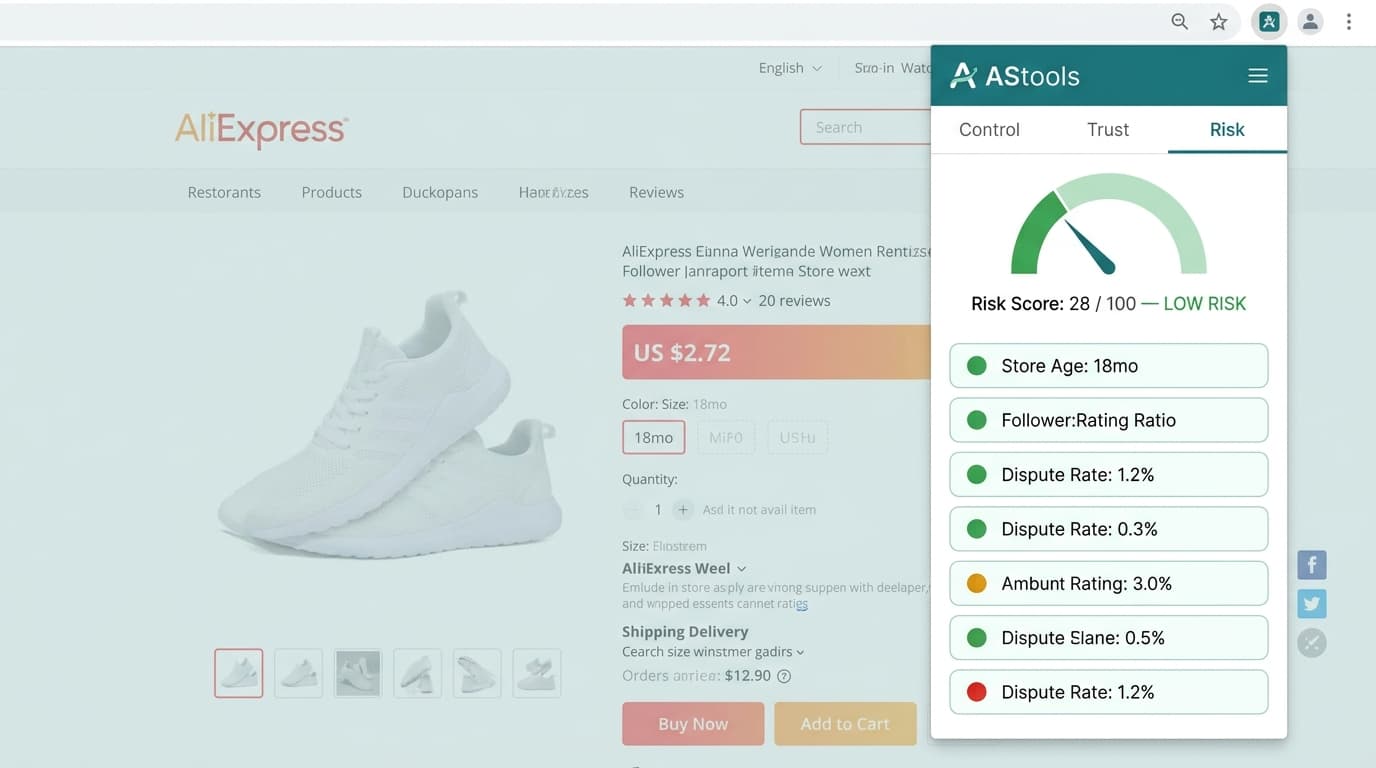
Quick answer: Before buying from any AliExpress seller, check these 7 red flags: store age under 6 months, follower-to-rating ratio mismatch, dispute rate above 3%, near-zero photo reviews, heavy country concentration in reviews, response time above 48 hours, and evidence of listing-history reuse. The AliShopping Tools Risk tab consolidates the seller-page metrics for you; the three review-derived flags you read yourself off the review data, which the extension's Reviews tab lays out but does not interpret.
Failed AliExpress orders rarely come from random bad luck. The seller showing the most warning signs to a careful reader 30 seconds before purchase is usually the same seller showing up in the refund queue 3 weeks later. The signals are public, persistent, and individually subtle — but in combination they form a reliable trust check.
This article maps the seven highest-signal red flags that show up on AliExpress seller and product pages, explains why each matters in dropshipper economics, and is honest about which ones a tool can help with. Four are seller-page metrics the AStools Risk tab consolidates on every product detail page. Three are read from the review data, and there the extension's job is to hand you the evidence, not a verdict. The manual-checklist fallback at the bottom runs through all seven in checklist form.
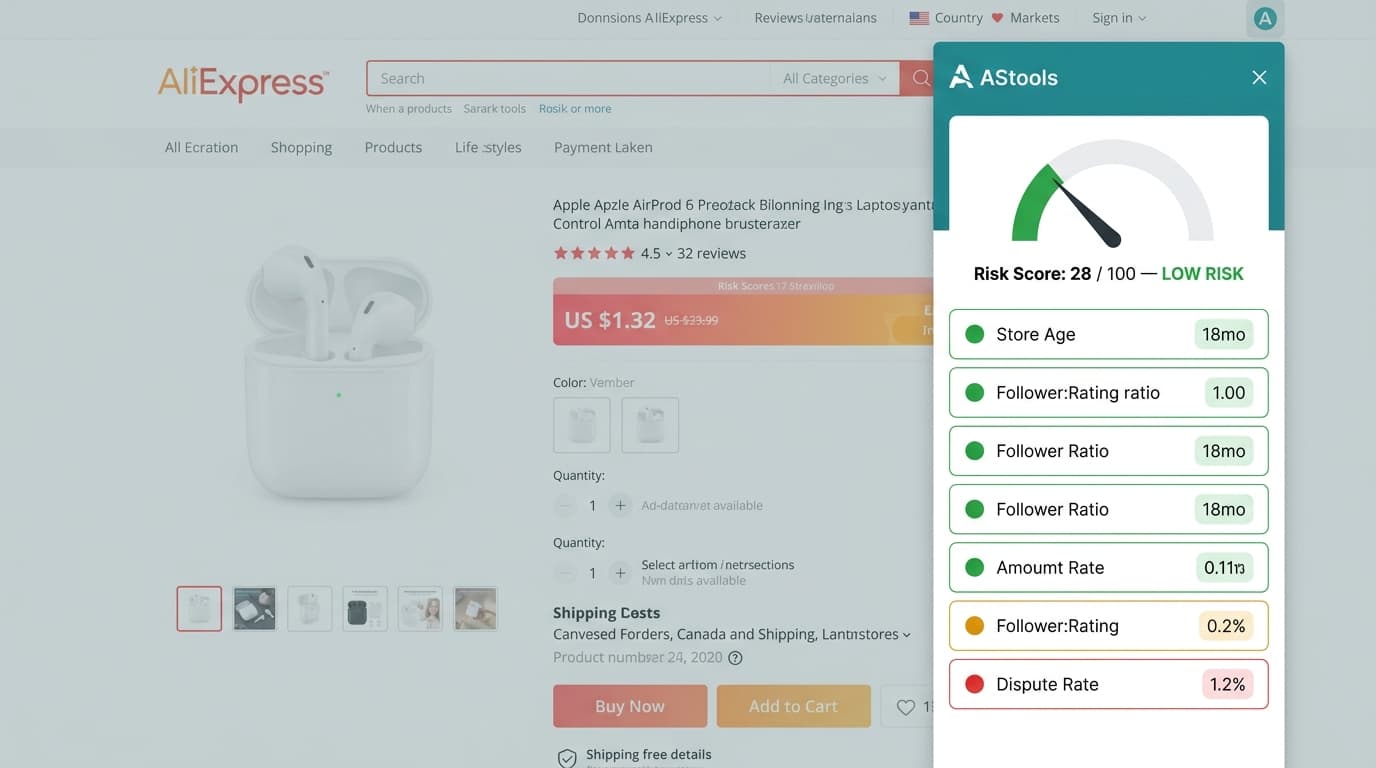
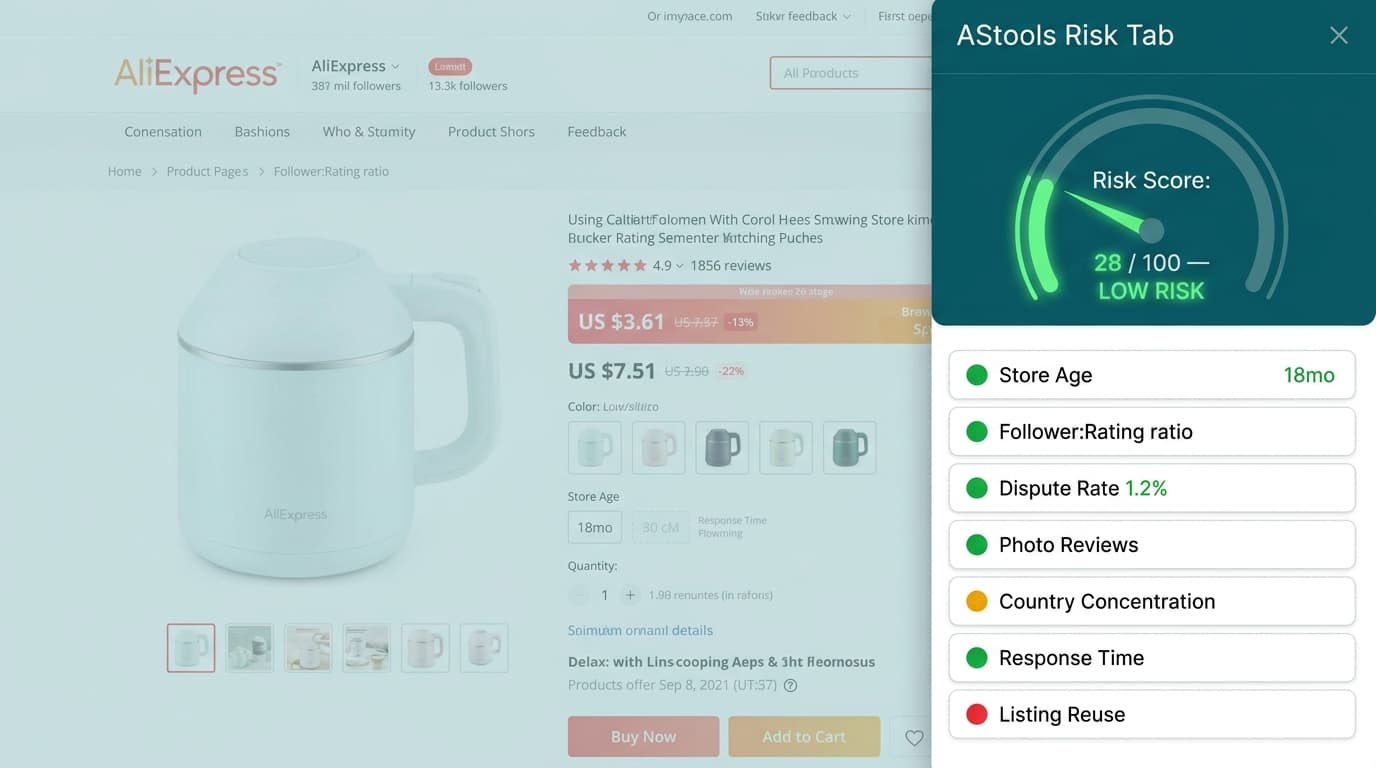
The seller-page half of the framework is the same set of public metrics the AStools Risk model reads. [Source: AStools Risk model, computed from public AliExpress seller-page metadata.] Nothing in that model analyses review text, review timing, or reviewer geography — those stay with you.
Read the seller-page signals in seconds — install AStools, free on Chrome Web Store
Why Does Supplier Risk Hit Dropshippers Hardest?
Three reasons supplier trust matters disproportionately to dropshippers vs casual AE buyers:
- Refund liability moves to you. A casual AE buyer who gets a defective product opens a dispute, gets refunded by AE, and moves on. A dropshipper has already shipped the product to a customer — refunding the customer is your cost (lost product cost + return shipping + customer-service overhead) regardless of whether AE eventually refunds you upstream.
- Ad-spend amplifies bad supplier risk. $500 of ads driving customers to a defective-quality product equals $500 wasted creative spend + 30-50 customers needing refunds + ongoing Meta / TikTok account-trust damage from elevated dispute rates. The supplier failure compounds across the funnel.
- Brand-trust damage is asymmetric. A single bad-quality supplier batch can produce 50+ negative reviews on your store before you discover the issue. Recovery from a wave of bad reviews takes months; avoiding the bad supplier in the first place takes 30 seconds.
The 7-flag check below is cheaper than every other risk-mitigation step — including pre-order samples, 3PL inspections, or escrow-style payment delays. It runs before any money moves.
§1 — Store age (under 6 months = high-risk)
Signal: AE seller stores with less than 6 months of operating history have substantially elevated failure rates vs stores with 12+ months. The "Store opened" date is publicly visible on every seller-page header.
Why it matters: New stores can be (a) genuine new sellers, or (b) replacement storefronts opened after a previous storefront was banned or de-listed for fraud. AE does not distinguish between the two publicly. Pattern: malicious sellers cycle through 2-4 month storefronts, ban-walk through their available accounts, and reopen new shops to repeat the cycle. Genuine new sellers exist but are a small fraction of the under-6-month population.
Threshold:
- Under 3 months: Hard avoid unless other signals are exceptionally strong
- 3-6 months: Risk-flag — combine with other signals before deciding
- 6-12 months: Lower-risk — proceed with normal scrutiny
- 12+ months: Default-trust baseline
How to check: Click the seller name → "Store" page → header surfaces "Store opened: YYYY-MM-DD" and follower count.
§2 — Follower-to-rating ratio (suspicious mismatches)
Signal: A store with 200 followers and 20,000 product ratings is usually fake-rating-inflated. Genuine stores at this scale typically maintain a follower count proportional to or higher than their accumulated rating count.
Why it matters: Rating-stuffing services exist on the AE seller side — bot networks generating thousands of low-quality ratings on demand. The follower count, however, is harder to inflate cheaply at scale (followers require account interaction, not just rating taps). A massive rating count with a tiny follower count is a strong signal of artificial rating inflation.
Threshold (rule of thumb):
- Ratings > 20× followers: Strong red flag — almost certainly inflated
- Ratings 5-20× followers: Moderate red flag — combine with other signals
- Ratings 1-5× followers: Normal range for established stores
- Ratings < followers: Default-trust — typical of well-maintained genuine stores
How to check: Seller-page header surfaces both "Followers" count and "Item ratings" count. Compare directly.
§3 — Dispute rate (above 3% = caution, above 5% = avoid)
Signal: AE publicly surfaces "dispute rate" — the proportion of recent orders that ended in a buyer-opened dispute. A rate above 3% is sharply correlated with future order failures; above 5% is a hard-avoid threshold.
Why it matters: Dispute rate is the most direct public signal of buyer-experience quality. AE-internal fraud and quality systems do not always catch borderline cases — but disputed orders represent buyer-side ground truth. Dropshipper supply chains amplify buyer-side disputes into store-side reputation risk.
Threshold:
- Under 1%: Excellent
- 1-3%: Acceptable
- 3-5%: Caution
- Over 5%: Avoid
How to check: Seller-page or product-page review section often surfaces dispute or "satisfaction rate" metric. Some categories show this more prominently than others. The AStools Risk tab consolidates this regardless of where AE places it on the specific page.
§4 — Photo-review absence (text-only is suspicious)
Signal: Genuine product reviews on AliExpress include a visible share of user-submitted photos. When a listing carries thousands of reviews and almost no photo reviews, that corpus is not behaving like real buyer feedback.
Why it matters: Photo reviews require active buyer effort — uploading from phone, selecting the right shot, attaching to review. Bot-generated or seller-incentivized reviews skip this step because it adds friction. A high review count with zero photos is one of the cleanest signals of a fake-review cluster. Connected to the broader fake-review detection framework.
How to read it: There is no published ratio that separates a real corpus from a farmed one, and any threshold quoted to the percentage point was invented. What you are judging is the gap between two numbers you can see: the total review count, and how much of it survives the photo filter. Hundreds or thousands of reviews with a handful of photos behind them is the shape to walk away from. Categories differ — clothing and gadgets attract photos, plain consumables less so — which is exactly why a fixed cut-off would mislead you.
How to check: Open the product reviews section. On AliExpress, filter for "Photos". In the AStools Reviews tab, the total count sits alongside the With Photos filter, so you can see the two numbers together and open the photos full-size. The tab shows you both; it does not compute a ratio or flag the listing.
§5 — Country concentration in reviews (single-country burst posting)
Signal: Genuine AliExpress products selling globally produce reviews from multiple countries — a typical popular listing might have reviews from US, UK, Russia, Brazil, Spain, and 15+ other countries in a normal distribution. When 90% of reviews come from a single country (especially RU, BR, or PK), the cluster is often fake-review-burst-posted from a single network.
Why it matters: Bot networks for review-stuffing tend to operate from a small cluster of IPs and geo-locations. Genuine global product distribution produces geographic diversity in reviews. Country-concentration is a clean structural signal of artificial review generation that does not require quality-of-text analysis.
How to read it: On a listing with a meaningful review count, one country dominating the list is the flag — unless the product is genuinely region-specific, which is a judgement only you can make about that product. No percentage cut-off is worth quoting here; the concentration is either obvious as you scroll or it is not.
How to check: Read it off AliExpress's own review list, which stamps each review with the reviewer's country — scroll the first pages and note how often the same flag repeats. The AStools Reviews tab does not break reviews down by country and does not detect concentration; if you would rather count properly, export the review set from the tab (CSV, JSON, TXT or XLSX) and tally it in a spreadsheet.
§6 — Response-time latency (over 48 hours = poor support)
Signal: AE displays "Average response time" on most seller pages. Sellers with average response time under 12 hours typically maintain operational quality; over 48 hours signals the seller is not actively monitoring messages — a strong predictor of dispute-resolution problems and post-purchase support failures.
Why it matters: Even if the product itself is fine, delayed seller response damages the dispute-resolution experience. For dropshippers, delayed seller response means delayed problem-resolution upstream — which means delayed customer-resolution downstream and additional time-cost in your customer-service queue.
Threshold:
- Under 12 hours: Excellent
- 12-24 hours: Good
- 24-48 hours: Caution
- Over 48 hours: Avoid
How to check: Seller page surfaces "Avg response time" near the contact-seller button.
§7 — Listing history reuse (recycled listing IDs, drift in product photos)
Signal: Some malicious sellers re-purpose old listing IDs that previously sold a different product — keeping the accumulated rating count from the old product and dropping in new product photos and descriptions. The ratings + reviews are real (for the old product), but they describe a different item entirely.
Why it matters: This signal is the hardest to detect manually. It requires comparing the product photos / title to the review-text content — if reviews discuss "the cable broke" but the product is now a candle holder, the listing was repurposed. AE does not flag this; the cleanup is buyer-side.
Threshold: This is binary — repurposed listing or not. Specific patterns:
- Reviews mention product features that are not in the current listing (different category, different size, different material)
- Listing main image was updated within the last 30-90 days but the review history extends 12+ months
- Title-keyword drift: current title in one category, oldest reviews mention a different category
How to check: Manually — scan the first 20 reviews for product-feature mentions and compare them to the current listing. Nothing automates this, in AStools or anywhere else: no part of the extension reads review text or cross-checks it against listing history. If you want to scan faster, export the review set from the Reviews tab and search it for category words that do not belong to the product you are looking at.
Try the same workflow free — install AStools to pull up the seller and review data in 1 click
How Do You Check All 7 Signals at Once?
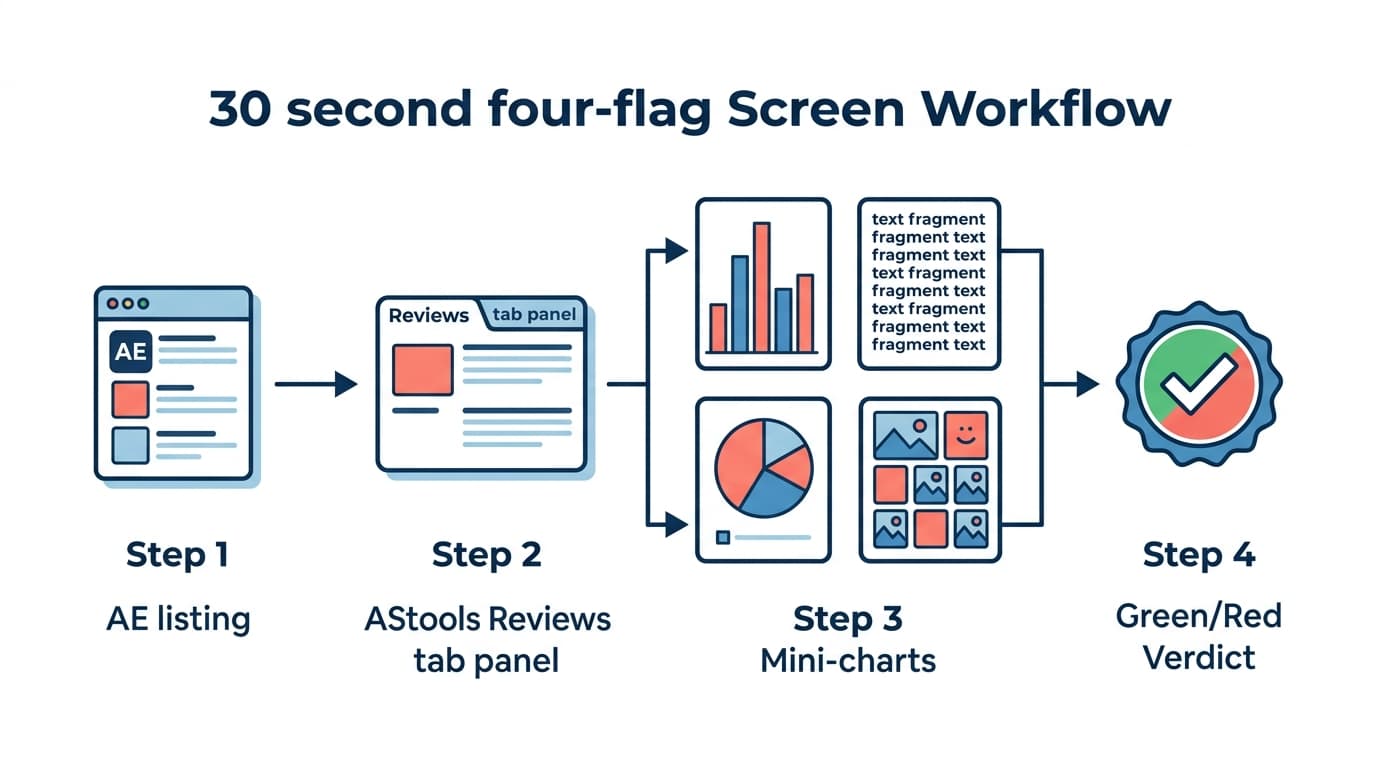
You cannot, and it is worth saying plainly rather than implying otherwise. The seven split into two halves.
The four seller-page signals — store age, follower-to-rating ratio, dispute rate, response time — are metrics AliExpress publishes and the AStools Risk tab consolidates on the product detail page, so you are not hunting for them across the store header and the review header. That is the part a tool genuinely shortens.
The three review-derived signals — photo-review absence, country concentration, listing reuse — are yours. There is no fake-review detector in the extension: no authenticity score, no anomaly flag, no burst or velocity analysis, no text-pattern matching, no country breakdown. What the Reviews tab does is put the raw material one click away:
- Total review count
- The rating distribution across all five star bands
- Three filters: All, With Photos, Additional
- Real buyer photos, opening full-size
- An export of the review set in CSV, JSON, TXT or XLSX
That export is the honest answer to "how do I check the last three at scale" — pull the corpus out, sort it by date for bursts, scan it for repeated phrasing or out-of-category features. Risk-tab readings also feed the AliExpress Trust Hub workflow.
Manual fallback — the 7-flag checklist
If you do not have the extension installed, copy this checklist and run it manually before any AE order:
Store header:
- Store age 6+ months? (header "Store opened" date)
- Follower count proportional to rating count? (rule: ratings should be < 20× followers)
- Avg response time under 24 hours? (header response-time figure)
Product page:
- Dispute / satisfaction rate under 3%? (review header)
- Photo reviews visible in proportion to the total review count? (switch the review list to photos only and compare)
- Reviews geographically diverse, or dominated by one country? (scroll AliExpress's review list and watch the flags)
- Listing matches review content? (scan first 20 reviews — features mentioned match current listing)
If all 7 pass, the supplier is at baseline trust. Two or more failed checks = avoid. One failed check + corroborating context (very low margin, urgent timing, no alternative supplier) = enter at your own discretion with a small first order to limit downside.
These 7 signals are the focused trust-checker view. For the longer 15-point version organized by category (store, listing, shipping, communication, compliance), use the AliExpress supplier risk checklist; for the deeper manual red-flags playbook with worked thresholds, see AliExpress supplier risk: how to verify reliable sellers.
For broader supplier comparison and price-validation, see Compare AliExpress Suppliers — Find Best Price. For deeper review-pattern analysis, How to Analyze AliExpress Reviews Free and How to Spot Fake AliExpress Reviews in 30 Seconds extend this framework into the review-text layer.
FAQ
How often should I re-check trusted suppliers?
Once per quarter for established relationships. Supplier quality drifts over time — a supplier with great Risk-tab signals 12 months ago may have quietly degraded (rating-inflation creep, response-time drift). Re-running the 7-flag check quarterly catches drift before it produces customer-side failures.
Will the Risk tab work on listings outside the dropshipping category?
Yes. The seller-page signals are generic — store age, follower-to-rating ratio, dispute rate and response time apply to any AE seller regardless of category. What does shift by category is the review-side reading: low-photogenic categories naturally attract fewer photo reviews, which is one more reason the photo check is a judgement you make with the category in mind rather than a threshold anything applies for you.
What if a supplier passes 6 of 7 but fails one signal?
Depends on which signal. Failed store-age (under 3 months) is harder to forgive than a failed follower-rating ratio, which might just be a genuinely small but good store. A listing with a thousand reviews and effectively no photos behind them is rarely worth overriding — but note that one is your call, not a flag the extension raises: the Risk tab weighs the seller-page metrics it reads, and the review-side flags never enter it.
Is supplier risk specific to AliExpress or general to all marketplaces?
The framework generalizes — most marketplace platforms (Alibaba, DHgate, Yiwu, regional Asian wholesale) have analogous public-signal structures. AStools currently focuses on AE because AE is where most dropshippers source — but the 7-flag pattern is portable.
What are the alternatives to AE suppliers if multiple flags fail?
Three paths:
- 1source the same product from a different AE seller (use the Compare Suppliers workflow),
- 2escalate to Alibaba for direct-from-factory at higher MOQ,
- 3skip the product entirely if no clean supplier exists at acceptable price points.
Run the 7-flag check on any listing
Install AliShopping Tools — Free on Chrome Web Store
A full manual 7-flag check takes 90-180 seconds per product. The Risk tab collapses the four seller-page signals into a couple of seconds, and the Reviews tab puts the count, the star distribution, the photo filter, the buyer photos and the export one click away — which is what makes the other three fast to read. It reads the data for you. It does not decide for you. Free, every AE product detail page.
AliShopping Tools
See live AliExpress data in your browser.
Seller trust score, 90-day price history, and live promo codes — on every AliExpress product page. No account, free.
Ready to find winning products?
Try AliShopping Tools — 15 free AI tools for product research.
Quick answers
Frequently Asked Questions
1What are the biggest red flags when choosing an AliExpress supplier?
The seven key red flags are: store age under 6 months, a follower-to-rating ratio that looks manipulated, dispute rate above 3%, no photo reviews among the recent feedback, heavy country concentration in reviews, response time above 48 hours, and listing-history reuse where older listings have been replaced with new products.
Any single red flag warrants caution; multiple flags together mean do not source.
2What dispute rate is too high for an AliExpress supplier?
A dispute rate above 3% is a warning sign, and above 5% is a hard-avoid threshold.
At 3% roughly 1 in 33 orders ends in a formal dispute — indicating systematic product quality issues, shipping failures, or description mismatches.
For dropshippers, a high supplier dispute rate directly translates to customer service issues and refund costs on your end.
3How old should an AliExpress supplier's store be?
Prefer suppliers with stores open for at least 2 years.
Stores under 6 months are high risk — they have no track record and can disappear without warning.
Stores between 6 months and 2 years are medium risk and need extra due diligence.
Established stores with multi-year histories and consistent rating trajectories are the safest sourcing options.
4What is a good AliExpress supplier rating?
Look for a rating of 4.7 or above, but also check that the rating distribution looks natural — some 3 and 4 star reviews indicate real buyer feedback.
A supplier with 99% 5-star reviews and no lower ratings is a red flag for review manipulation.
Authentic suppliers have a realistic spread of ratings including occasional critical feedback.
More from the blog
What Is a Winning Score for Dropshipping Products? (Complete Guide)
The Winning Score (0–100) rates every AliExpress product from seven weighted signals on its listing. Learn what each factor measures, what the score does not measure, and how to read the three bands.
How to Spot Fake AliExpress Reviews in 30 Seconds: 4 Red Flags
Vet AliExpress reviews in under 30 seconds. Four red flags expose a fake-review cluster: burst posting, templated wording, country concentration, no photos.
AliExpress Shipping to the UK: Delivery Times, VAT & Customs (2026)
How long AliExpress takes to reach the UK, how 20% VAT and post-Brexit customs work, and which shipping method is fastest for UK shoppers in 2026.