Can Koala Inspector Find AliExpress Suppliers? (2026)
Can Koala Inspector Find AliExpress Suppliers? (2026)
Not directly. Koala Inspector analyzes a Shopify store — its apps, theme, and product clues — but it never names the upstream AliExpress supplier, because that link is not in any storefront's page data. To find the actual supplier, run the product image through reverse-image search or AliShopping's one-click Find on AliExpress match, then verify the seller by image, reviews, and store history before ordering.
Can Koala Inspector find AliExpress suppliers?
Koala Inspector is useful for understanding what a Shopify store is running (apps, product pages, basic merchandising clues). It does not provide a guaranteed supplier-level match from Shopify listing to AliExpress supplier inventory.
If your goal is supplier verification, treat Koala as a discovery layer, then run one of these workflows:
- Manual reverse-image search (slower, more open-ended)
- AliShopping "Find on AliExpress" (faster supplier matching workflow with confidence labels)
What Koala Inspector reveals — and what it can't verify
Koala Inspector is a Shopify store-analysis extension. It reads the public, storefront-side signals a Shopify site exposes:
- Theme — which Shopify theme the store runs, and often whether it is a paid or free theme
- Installed apps — the upsell, review, currency, and page-builder apps detectable in the page source
- Product catalog signals — product titles, variants, prices, and the date each product was added (a rough "what is new / what is selling" read)
- Store-level clues — collections, launch signals, and merchandising choices
That is genuinely useful for sizing up a competitor. But notice what is missing: none of those signals name the upstream AliExpress supplier. A Shopify storefront never publishes where its inventory is sourced — the supplier link simply is not in the page data any store-spy tool can read. So Koala can tell you what a store sells and how it is built, but not who fulfills it.
That is the gap. Confirming the AliExpress supplier is a separate, image-driven job — either the manual reverse-image workflow below, or a supplier-matching tool that does it for you. Whichever route you take, the manual supplier checks further down are what turn a candidate listing into a supplier you would actually order from.
Koala Inspector vs manual reverse image search vs AliShopping workflow
| Workflow | What it does well | Main limitation | Typical time per product |
|---|---|---|---|
| Koala Inspector | Store and product-level Shopify intelligence | No direct supplier verification to AliExpress | 2-4 minutes (plus extra supplier search) |
| Manual reverse-image search | Broad discovery across many sources | High manual effort and noisy results | 5-10 minutes |
| AliShopping Find on AliExpress | Image-first supplier matching with confidence badges | Still requires final supplier due diligence | 3-5 seconds for first-pass matches |
The competitive research workflow that most dropshippers run 30 times per week:
- Open a competitor's Shopify store
- Find a product that looks like it is selling
- Right-click the product image
- "Search image with Google"
- Scan Google image results for AliExpress links
- Open multiple AliExpress tabs to check supplier options
- Compare prices, ratings, shipping times manually
- Pick a supplier
This takes 5-10 minutes per product. At 30 products per week, that is 2.5-5 hours of manual reverse-image-search.
AliShopping's Cross-sell feature collapses this workflow to one click and under 5 seconds.
How Find on AliExpress Works
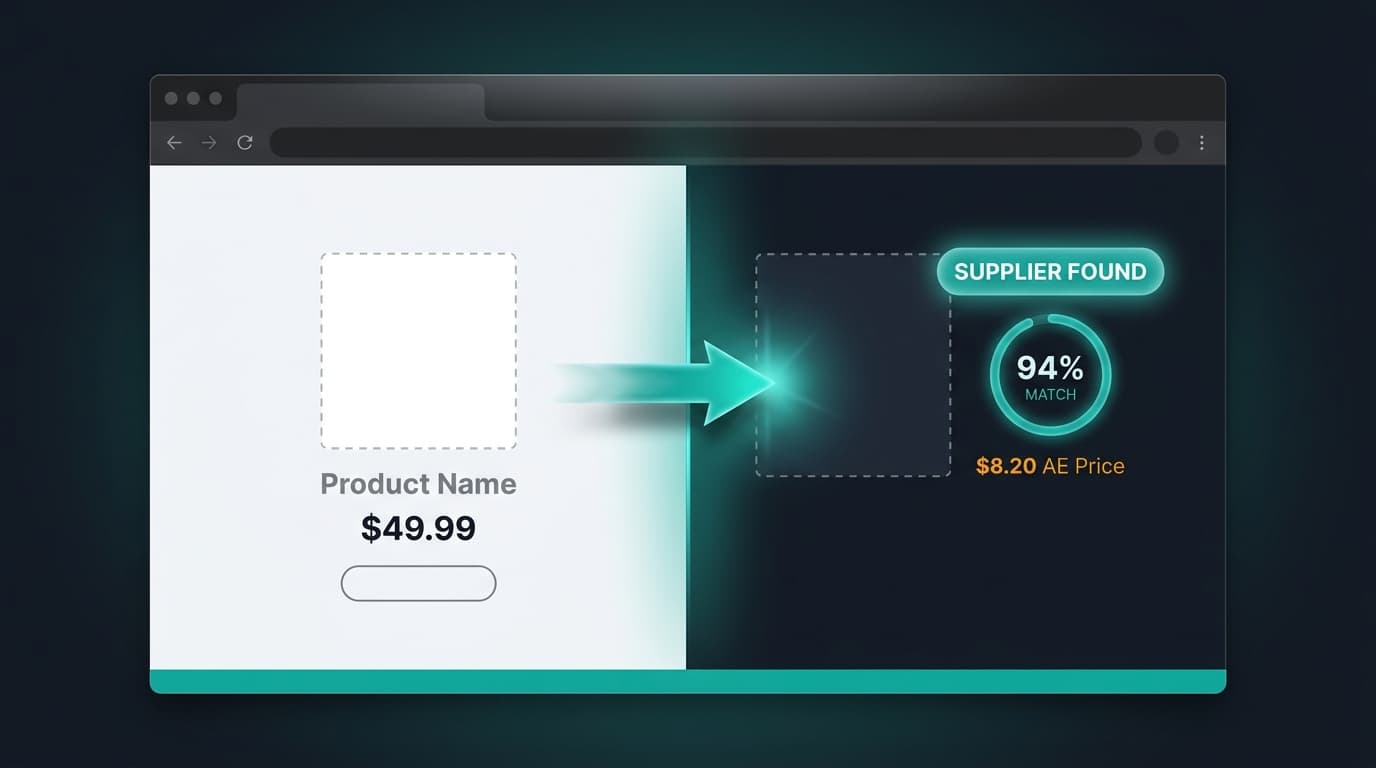
When you open any Shopify product page with AliShopping installed, a "Find on AliExpress" button appears in the extension's toolbar panel. Click it, and:
- The extension captures the product's primary image (specifically, the Shopify CDN URL at
?width=600— high enough resolution for accurate matching) - The image is sent to our backend supplier-match service via HMAC-signed request
- Backend runs image-search against AliExpress product catalog using vision embedding similarity
- Returns top 3-5 matched AliExpress suppliers with:
- Product image
- Current price (USD + localized currency)
- Seller rating and year active
- Shipping time to your country
- Confidence badge (high / medium / low match)
- Extension renders the matches in a modal overlay on the Shopify product page
Total time from click to results: 3-5 seconds.
Why Image-First, Not Title-First
The original prototype used product title text for matching. It failed because:
- Shopify operators rename AliExpress products aggressively (generic "Wireless Earbuds Premium" title hides a specific AliExpress SKU)
- AliExpress titles are keyword-stuffed and do not match Shopify's clean naming
- Languages differ — Chinese supplier titles vs English Shopify titles
Image-first matching bypasses all of this. The supplier's actual product photo is the strongest identifier, even if the Shopify operator modified listing photography or text.
Confidence Badges — What They Mean
Matches come with confidence badges:
Check this seller before you buy.
Seller trust score and risk-flag scan on every AliExpress product page. No account, free.
- High match (90%+): The image is highly likely the same product from the same supplier or a close variant. Use with confidence for sourcing.
- Medium match (70-89%): Similar product, possibly same design from a different supplier or a variant. Verify before committing.
- Low match (50-69%): Related product, use as a starting point for broader search. Could be a different product in the same category.
Below 50% confidence matches are not returned — noise is worse than missed detection.
The Fallback — Text Search
If image search returns no matches (rare but possible for highly-customized Shopify product photography), the extension falls back to text search using the cleaned product title. The system tries image first (higher accuracy), then text second (broader recall).
This dual-mode ensures almost every Shopify product returns at least some matches, even for heavily-customized listings.
Why No Paid Tool Does This
Koala Inspector, Commerce Inspector, SpySales, Sell The Trend, and Ecomhunt all focus on either Shopify analysis OR AliExpress research. None of them bridge the two platforms with image-based matching.
Reasons:
- Infrastructure cost: Running vision embeddings at scale is expensive, and paid tools optimize for subscription revenue per user rather than per-request accuracy.
- Platform scope: Paid tools specialize — Koala is Shopify-only, AliHunter is AE-only. Building the bridge requires both teams.
- Legal sensitivity: Image matching across platforms is in a gray area (though done at search-only scale is fine — no image copying, no database storage of competitor images).
AliShopping built the bridge because the workflow demand is obvious to anyone who has done manual reverse-image-search 100 times.
How to confirm the actual AliExpress supplier (manual checks)
A match — whether it comes from a confidence badge or a manual Google image search — is only a candidate. The last step is always yours: confirm the listing is really the supplier you want to buy from. Five checks do most of the work, and none of them require trusting a tool blindly:
- Image-match the exact product, not a lookalike. Save the competitor's primary product photo and reverse-image-search it. You are looking for the same photo on the AliExpress listing, not just a similar item — identical studio shots usually point to the same manufacturer. A "similar but reshot" image is typically a different SKU or a reseller sitting between you and the real factory.
- Read the store's metrics before the product's. On AliExpress, open the store (not just the listing) and check its positive-feedback score, how many years it has been open, and its follower and order volume. An established store with consistent feedback is a safer bet than a days-old storefront built around one hero product. The AliExpress supplier risk checklist walks through the specific red flags to weigh here.
- Check the order count and rating on the listing itself. A listing with a real order history and a visible star rating has been bought and reviewed by actual customers. A brand-new listing with zero orders is not disqualifying, but it carries more fulfillment risk — treat it as a candidate for a small test order rather than a bulk commitment.
- Sanity-check the reviews. Skim the photo reviews and watch for the patterns that signal manipulation: a flood of five-star text-only reviews, ratings clustered in a single burst, or generic copy that never mentions the actual product. How to spot fake reviews on AliExpress covers the tells in detail.
- Compare a few suppliers before you commit. The first match is rarely the cheapest or the fastest to ship. Pull two or three suppliers for the same product and weigh unit price, shipping time to your market, and minimum order quantity side by side — comparing AliExpress suppliers on price is usually where the real margin is won or lost.
A confidence badge (or a Google image hit) gets you to a candidate supplier in seconds; these five checks are how you turn that candidate into a supplier you would actually order from. If you are still deciding whether AliExpress itself is safe to source from in the first place, our AliExpress legitimacy guide covers the buyer-protection side.
What the Feature Unlocks
Faster Supplier Diversification
If your current supplier becomes unreliable, finding alternative suppliers for the same product takes seconds instead of hours. Pair each match with the AliExpress supplier risk checklist to vet seller history and reviews before you switch.
Better Pricing Negotiation
See what other stores pay for the same product from similar suppliers. Use this as leverage in supplier negotiations for bulk discounts.
Competitive Price Monitoring
When a competitor changes their product pricing, you can quickly check if they switched suppliers (lower cost basis) or just changed margins.
Rapid Niche Exploration
Scrolling through a competitor's top 20 products and Cross-sell-ing each one gives you supplier prices for the entire niche in 2-3 minutes. Combine this with the AliExpress product research guide to turn raw supplier prices into a validated product shortlist.
Workflow Example
Let's say you open Gymshark's leggings collection (obviously — Gymshark manufactures their own, this is a demo). Cross-sell on a Gymshark product:
- High-match results: actual Chinese activewear manufacturers producing similar legging designs
- Medium-match results: variations on the design from other suppliers
- You see that comparable legging material at Gymshark's retail price of $60 costs $6-10 from AE suppliers
- Gymshark's brand markup is ~6-10x — which tells you the defensibility of brand positioning
Now try the same on a dropshipping competitor store:
- High-match result: the exact AliExpress supplier the dropshipper is using
- Medium-match: alternative suppliers with same product
- You see the dropshipper marks up 2-3x over supplier cost
- You can undercut them by switching supplier or negotiating volume pricing
This research loop is the competitive edge for new dropshipping operators entering existing markets.
Related guides for validation and pricing checks
- Koala Inspector alternative (workflow-focused)
- Koala Inspector pricing 2026
- AliExpress product research guide
- AliExpress supplier risk checklist
- Compare AliExpress suppliers and find the best price
- How to spot fake reviews on AliExpress
- Is AliExpress legit in 2026?
- Spocket vs Syncee: US/EU vs global suppliers — if you are weighing supplier directories as an alternative to raw AliExpress sourcing
Install to Try on Your Actual Research
The Find on AliExpress feature requires the extension to be installed and active on both Shopify and AliExpress pages.
Install AliShopping Tools from the Chrome Web Store — no signup required, no paywall. Try it first on a well-known competitor store to see the match quality, then run it on the products you actually want to test.
The first 5-10 Cross-sell queries will teach you the tool's strengths and limits on your specific niche.
AliShopping Tools
Check this seller before you buy.
Seller trust score and risk-flag scan on every AliExpress product page. No account, free.
Product Tracker Miễn phí
Theo dõi giá thật, đơn hàng, tồn kho & đánh giá của bất kỳ sản phẩm AliExpress nào trong 180 ngày. Dữ liệu không nói dối.
Before you buy
Is this deal real? Check the price history before you buy.
Prices often spike just before a “sale.” See 180-day price history and fake discount detection — free, no account needed.
Verify on AliShopping Deals →Sẵn sàng tìm sản phẩm thắng?
Thử AliShopping Tools — 15 công cụ AI miễn phí cho nghiên cứu sản phẩm.
Giải đáp nhanh
Câu hỏi thường gặp
1Koala Inspector có tốt để tìm nhà cung cấp AliExpress không?
Koala Inspector hữu ích để phân tích store Shopify — xác định app đã cài, cấu trúc trang sản phẩm và tín hiệu merchandising của đối thủ — nhưng không được thiết kế để khớp nhà cung cấp AliExpress.
Nó không kết nối với dữ liệu catalog AliExpress hay chạy khớp nhà cung cấp theo ảnh.
Dùng Koala Inspector để xác định đối thủ đang bán gì, sau đó dùng workflow riêng — tìm ngược ảnh hoặc tính năng Find on AliExpress của AliShopping — để tìm nhà cung cấp AliExpress thực sự đằng sau sản phẩm.
2Làm thế nào để xác minh nhà cung cấp AliExpress tìm qua Koala Inspector?
Koala Inspector không trực tiếp cung cấp nhà cung cấp AliExpress, nên việc xác minh bắt đầu sau khi bạn rời Koala.
Khi đã xác định được sản phẩm từ store đối thủ, lấy ảnh sản phẩm và chạy tìm ngược ảnh trên Google, hoặc dán URL sản phẩm vào AliShopping Tools để kích hoạt khớp nhà cung cấp theo ảnh.
Sau khi có danh sách nhà cung cấp AliExpress tiềm năng, xác minh từng nhà: kiểm tra rating tổng thể (4.7+), khối lượng đơn, tỷ lệ phản hồi (90%+), review cho sản phẩm cụ thể, và chứng nhận liên quan như CE hay RoHS.
3Koala Inspector có thể cho bạn biết gì về sản phẩm Shopify?
Koala Inspector tiết lộ tín hiệu cấp store và cấp sản phẩm của store Shopify: app nào đang cài (loyalty, review, upsell), cấu trúc trang sản phẩm, mẫu giá và variant, và đôi khi ước tính lưu lượng hoặc tốc độ bán.
Hữu ích để nghiên cứu cạnh tranh về những gì store đang bán và cách vận hành.
Nó không xác định được nhà cung cấp AliExpress hay Alibaba nào của sản phẩm, giá hay thời gian giao hàng của nhà cung cấp, hay khối lượng đơn thực tế của store với nhà cung cấp đó.
4Sự khác biệt giữa Koala Inspector và AliShopping Tools là gì?
Koala Inspector phân tích store Shopify — đọc app đã cài, trang sản phẩm và mẫu merchandising để cung cấp thông tin tình báo cạnh tranh về cách store vận hành.
AliShopping Tools là extension hoạt động trên trang sản phẩm AliExpress để hiển thị lịch sử giá 90 ngày, mã khuyến mãi, tín hiệu tin cậy nhà cung cấp, và trên trang sản phẩm Shopify để chạy khớp theo ảnh với kho nhà cung cấp AliExpress.
Hai công cụ giải quyết vấn đề khác nhau: Koala giúp bạn hiểu store đối thủ, AliShopping giúp bạn tìm nguồn sản phẩm mà đối thủ đó đang bán.
5Tôi có thể tìm nhà cung cấp AliExpress của sản phẩm Shopify mà không cần tìm ngược ảnh không?
Có.
Tính năng Find on AliExpress của AliShopping Tools chạy khớp nhà cung cấp theo ảnh trực tiếp từ bất kỳ trang sản phẩm Shopify nào mà không cần copy paste vào Google Hình ảnh.
Với extension đã cài, nút Find on AliExpress xuất hiện trên trang sản phẩm Shopify.
Nhấn vào đó sẽ chụp ảnh sản phẩm, gửi đến dịch vụ khớp nhà cung cấp của AliShopping, và trả về 3–5 nhà cung cấp AliExpress phù hợp nhất với nhãn độ tin cậy, giá, thông tin shipping và rating nhà cung cấp — tất cả trong dưới 5 giây và không cần rời trang sản phẩm Shopify.
6Koala Inspector có thể xác minh trực tiếp nhà cung cấp AliExpress cho sản phẩm Shopify không?
Không.
Koala Inspector cung cấp thông tin về store Shopify — các app đang cài, clue trang sản phẩm, và tín hiệu merchandising cơ bản — nhưng không thể khớp trực tiếp sản phẩm Shopify với nhà cung cấp AliExpress cụ thể.
Sau khi dùng Koala để xác định sản phẩm đối thủ, bạn vẫn cần bước riêng: tìm kiếm ngược ảnh thủ công (chậm, 5-10 phút mỗi sản phẩm) hoặc công cụ khớp supplier chuyên dụng như tính năng Find on AliExpress của AliShopping, chạy khớp supplier theo ảnh với nhãn độ tin cậy trong dưới 5 giây.
7Tính năng khớp supplier của AliShopping so với tìm kiếm ngược ảnh thủ công như thế nào?
Find on AliExpress của AliShopping dùng tìm kiếm độ tương đồng image-embedding trên catalog sản phẩm AliExpress và trả về 3-5 supplier khớp nhất với nhãn độ tin cậy (high, medium, low), giá, tùy chọn variant, và thông tin shipping trong 3-5 giây mỗi sản phẩm.
Tìm kiếm ngược ảnh thủ công qua Google mất 5-10 phút mỗi sản phẩm — mở ảnh, chạy Google Images, lọc link AliExpress, mở nhiều tab, so sánh tay.
Với 30 sản phẩm research mỗi tuần, AliShopping thay thế 2.5-5 giờ công việc thủ công bằng một cú click.
8Cách nhanh nhất để tìm nhà cung cấp AliExpress cho sản phẩm Shopify là gì?
Workflow nhanh nhất là: mở trang sản phẩm Shopify khi đã cài AliShopping Tools, rồi nhấn nút Find on AliExpress trong panel extension.
Extension chụp ảnh sản phẩm, gửi đến backend dịch vụ khớp supplier qua request ký xác thực, và trả về các supplier AliExpress phù hợp trong dưới 5 giây.
Kết quả gồm nhãn độ tin cậy, giá, tùy chọn variant, dữ liệu shipping, và rating supplier — tất cả mà không cần rời trang sản phẩm Shopify hay chạy tìm kiếm ảnh Google riêng.
9Tôi có thể dùng Koala Inspector để tìm nhà cung cấp AliExpress không?
Koala Inspector có thể giúp bạn xác định sản phẩm mà một store Shopify đang bán, nhưng không thể tìm nhà cung cấp AliExpress trực tiếp.
Nó hiển thị thông tin cấp store — app đã cài, clue sản phẩm, tín hiệu giá — không phải dữ liệu sourcing supplier. Để tìm nhà cung cấp AliExpress thực sự cho sản phẩm Shopify bất kỳ, bạn cần công cụ riêng: tìm kiếm ngược ảnh trên Google (5–10 phút mỗi sản phẩm) hoặc tính năng Find on AliExpress của AliShopping Tools, khớp ảnh sản phẩm với catalog AliExpress và trả về supplier đã xác minh trong dưới 5 giây.
10Koala Inspector có hiển thị giá sản phẩm AliExpress không?
Không.
Koala Inspector tập trung vào thông tin store Shopify — hiển thị thông tin về app, sản phẩm, và tech stack của store.
Nó không kéo dữ liệu sản phẩm, giá, hay tồn kho supplier AliExpress live. Để so sánh giá AliExpress và supplier, bạn cần công cụ kết nối trực tiếp với AliExpress.
AliShopping Tools cung cấp dữ liệu sourcing AliExpress live bao gồm giá, số lượng tối thiểu, tùy chọn shipping, và rating supplier, cùng với tính năng khớp supplier cross-tab.
11Tôi cần kiểm tra gì sau khi AliShopping khớp được nhà cung cấp AliExpress?
Sau khi có kết quả khớp từ AliShopping, thực hiện due diligence nhà cung cấp tiêu chuẩn: kiểm tra rating tổng thể (4.7 trở lên), tổng số review và chất lượng review gần đây, tỷ lệ phản hồi (90%+ là tiêu chuẩn), chứng nhận CE hoặc an toàn liên quan được ghi trong chi tiết sản phẩm, và mọi mẫu review tiêu cực về hư hỏng khi ship hay hàng giả.
Nhãn độ tin cậy của AliShopping thể hiện chất lượng khớp ảnh, không phải độ tin cậy supplier — dùng kết quả high-confidence như điểm khởi đầu, sau đó xác minh chỉ số supplier trước khi đặt đơn.
Bài viết liên quan
Công cụ liên quan
Bài viết khác
Shopify Store Compare — 8 Dimensions Side by Side (Free Tool)
Compare any two Shopify stores across 8 dimensions: store type, product count, ad pixel count, on-sale percentage, discount depth, price range, variant count, and estimated revenue tier.
AliShopping Shopify NPS + Referral Flywheel — Feature Deep Dive
How the v2.0.0.20 NPS + Referral flywheel works: segment-aware 6-gate eligibility, promoter share CTA, and passive/detractor textarea routed to backend.