Can Koala Inspector Find AliExpress Suppliers? (2026)
Can Koala Inspector Find AliExpress Suppliers? (2026)
Not directly. Koala Inspector analyzes a Shopify store — its apps, theme, and product clues — but it never names the upstream AliExpress supplier, because that link is not in any storefront's page data. To find the actual supplier, run the product image through reverse-image search or AliShopping's one-click Find on AliExpress match, then verify the seller by image, reviews, and store history before ordering.
Can Koala Inspector find AliExpress suppliers?
Koala Inspector is useful for understanding what a Shopify store is running (apps, product pages, basic merchandising clues). It does not provide a guaranteed supplier-level match from Shopify listing to AliExpress supplier inventory.
If your goal is supplier verification, treat Koala as a discovery layer, then run one of these workflows:
- Manual reverse-image search (slower, more open-ended)
- AliShopping "Find on AliExpress" (faster supplier matching workflow with confidence labels)
What Koala Inspector reveals — and what it can't verify
Koala Inspector is a Shopify store-analysis extension. It reads the public, storefront-side signals a Shopify site exposes:
- Theme — which Shopify theme the store runs, and often whether it is a paid or free theme
- Installed apps — the upsell, review, currency, and page-builder apps detectable in the page source
- Product catalog signals — product titles, variants, prices, and the date each product was added (a rough "what is new / what is selling" read)
- Store-level clues — collections, launch signals, and merchandising choices
That is genuinely useful for sizing up a competitor. But notice what is missing: none of those signals name the upstream AliExpress supplier. A Shopify storefront never publishes where its inventory is sourced — the supplier link simply is not in the page data any store-spy tool can read. So Koala can tell you what a store sells and how it is built, but not who fulfills it.
That is the gap. Confirming the AliExpress supplier is a separate, image-driven job — either the manual reverse-image workflow below, or a supplier-matching tool that does it for you. Whichever route you take, the manual supplier checks further down are what turn a candidate listing into a supplier you would actually order from.
Koala Inspector vs manual reverse image search vs AliShopping workflow
| Workflow | What it does well | Main limitation | Typical time per product |
|---|---|---|---|
| Koala Inspector | Store and product-level Shopify intelligence | No direct supplier verification to AliExpress | 2-4 minutes (plus extra supplier search) |
| Manual reverse-image search | Broad discovery across many sources | High manual effort and noisy results | 5-10 minutes |
| AliShopping Find on AliExpress | Image-first supplier matching with confidence badges | Still requires final supplier due diligence | 3-5 seconds for first-pass matches |
The competitive research workflow that most dropshippers run 30 times per week:
- Open a competitor's Shopify store
- Find a product that looks like it is selling
- Right-click the product image
- "Search image with Google"
- Scan Google image results for AliExpress links
- Open multiple AliExpress tabs to check supplier options
- Compare prices, ratings, shipping times manually
- Pick a supplier
This takes 5-10 minutes per product. At 30 products per week, that is 2.5-5 hours of manual reverse-image-search.
AliShopping's Cross-sell feature collapses this workflow to one click and under 5 seconds.
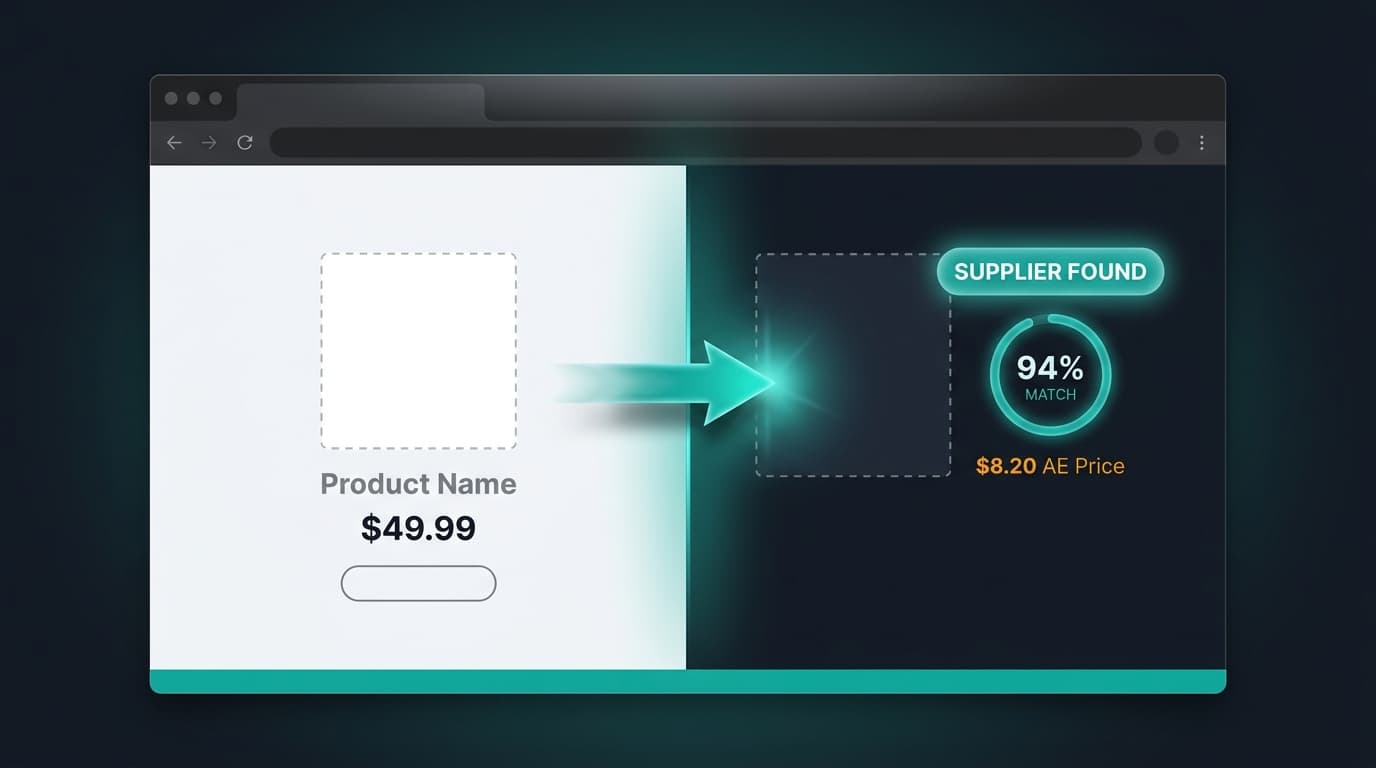
How Find on AliExpress Works
When you open any Shopify product page with AliShopping installed, a "Find on AliExpress" button appears in the extension's toolbar panel. Click it, and:
- The extension captures the product's primary image (specifically, the Shopify CDN URL at
?width=600— high enough resolution for accurate matching) - The image is sent to our backend supplier-match service via HMAC-signed request
- Backend runs image-search against AliExpress product catalog using vision embedding similarity
- Returns top 3-5 matched AliExpress suppliers with:
- Product image
- Current price (USD + localized currency)
- Seller rating and year active
- Shipping time to your country
- Confidence badge (high / medium / low match)
- Extension renders the matches in a modal overlay on the Shopify product page
Total time from click to results: 3-5 seconds.
Why Image-First, Not Title-First
The original prototype used product title text for matching. It failed because:
- Shopify operators rename AliExpress products aggressively (generic "Wireless Earbuds Premium" title hides a specific AliExpress SKU)
- AliExpress titles are keyword-stuffed and do not match Shopify's clean naming
- Languages differ — Chinese supplier titles vs English Shopify titles
Image-first matching bypasses all of this. The supplier's actual product photo is the strongest identifier, even if the Shopify operator modified listing photography or text.
Confidence Badges — What They Mean
Matches come with confidence badges:
- High match (90%+): The image is highly likely the same product from the same supplier or a close variant. Use with confidence for sourcing.
- Medium match (70-89%): Similar product, possibly same design from a different supplier or a variant. Verify before committing.
- Low match (50-69%): Related product, use as a starting point for broader search. Could be a different product in the same category.
Below 50% confidence matches are not returned — noise is worse than missed detection.
The Fallback — Text Search
If image search returns no matches (rare but possible for highly-customized Shopify product photography), the extension falls back to text search using the cleaned product title. The system tries image first (higher accuracy), then text second (broader recall).
This dual-mode ensures almost every Shopify product returns at least some matches, even for heavily-customized listings.
Why No Paid Tool Does This
Koala Inspector, Commerce Inspector, SpySales, Sell The Trend, and Ecomhunt all focus on either Shopify analysis OR AliExpress research. None of them bridge the two platforms with image-based matching.
Reasons:
- Infrastructure cost: Running vision embeddings at scale is expensive, and paid tools optimize for subscription revenue per user rather than per-request accuracy.
- Platform scope: Paid tools specialize — Koala is Shopify-only, AliHunter is AE-only. Building the bridge requires both teams.
- Legal sensitivity: Image matching across platforms is in a gray area (though done at search-only scale is fine — no image copying, no database storage of competitor images).
AliShopping built the bridge because the workflow demand is obvious to anyone who has done manual reverse-image-search 100 times.
How to confirm the actual AliExpress supplier (manual checks)
A match — whether it comes from a confidence badge or a manual Google image search — is only a candidate. The last step is always yours: confirm the listing is really the supplier you want to buy from. Five checks do most of the work, and none of them require trusting a tool blindly:
- Image-match the exact product, not a lookalike. Save the competitor's primary product photo and reverse-image-search it. You are looking for the same photo on the AliExpress listing, not just a similar item — identical studio shots usually point to the same manufacturer. A "similar but reshot" image is typically a different SKU or a reseller sitting between you and the real factory.
- Read the store's metrics before the product's. On AliExpress, open the store (not just the listing) and check its positive-feedback score, how many years it has been open, and its follower and order volume. An established store with consistent feedback is a safer bet than a days-old storefront built around one hero product. The AliExpress supplier risk checklist walks through the specific red flags to weigh here.
- Check the order count and rating on the listing itself. A listing with a real order history and a visible star rating has been bought and reviewed by actual customers. A brand-new listing with zero orders is not disqualifying, but it carries more fulfillment risk — treat it as a candidate for a small test order rather than a bulk commitment.
- Sanity-check the reviews. Skim the photo reviews and watch for the patterns that signal manipulation: a flood of five-star text-only reviews, ratings clustered in a single burst, or generic copy that never mentions the actual product. How to spot fake reviews on AliExpress covers the tells in detail.
- Compare a few suppliers before you commit. The first match is rarely the cheapest or the fastest to ship. Pull two or three suppliers for the same product and weigh unit price, shipping time to your market, and minimum order quantity side by side — comparing AliExpress suppliers on price is usually where the real margin is won or lost.
A confidence badge (or a Google image hit) gets you to a candidate supplier in seconds; these five checks are how you turn that candidate into a supplier you would actually order from. If you are still deciding whether AliExpress itself is safe to source from in the first place, our AliExpress legitimacy guide covers the buyer-protection side.
What the Feature Unlocks
Faster Supplier Diversification
If your current supplier becomes unreliable, finding alternative suppliers for the same product takes seconds instead of hours. Pair each match with the AliExpress supplier risk checklist to vet seller history and reviews before you switch.
Better Pricing Negotiation
See what other stores pay for the same product from similar suppliers. Use this as leverage in supplier negotiations for bulk discounts.
Competitive Price Monitoring
When a competitor changes their product pricing, you can quickly check if they switched suppliers (lower cost basis) or just changed margins.
Rapid Niche Exploration
Scrolling through a competitor's top 20 products and Cross-sell-ing each one gives you supplier prices for the entire niche in 2-3 minutes. Combine this with the AliExpress product research guide to turn raw supplier prices into a validated product shortlist.
Workflow Example
Let's say you open Gymshark's leggings collection (obviously — Gymshark manufactures their own, this is a demo). Cross-sell on a Gymshark product:
- High-match results: actual Chinese activewear manufacturers producing similar legging designs
- Medium-match results: variations on the design from other suppliers
- You see that comparable legging material at Gymshark's retail price of $60 costs $6-10 from AE suppliers
- Gymshark's brand markup is ~6-10x — which tells you the defensibility of brand positioning
Now try the same on a dropshipping competitor store:
- High-match result: the exact AliExpress supplier the dropshipper is using
- Medium-match: alternative suppliers with same product
- You see the dropshipper marks up 2-3x over supplier cost
- You can undercut them by switching supplier or negotiating volume pricing
This research loop is the competitive edge for new dropshipping operators entering existing markets.
Related guides for validation and pricing checks
- Koala Inspector alternative (workflow-focused)
- Koala Inspector pricing 2026
- AliExpress product research guide
- AliExpress supplier risk checklist
- Compare AliExpress suppliers and find the best price
- How to spot fake reviews on AliExpress
- Is AliExpress legit in 2026?
Install to Try on Your Actual Research
The Find on AliExpress feature requires the extension to be installed and active on both Shopify and AliExpress pages.
Install AliShopping Tools from the Chrome Web Store — no signup required, no paywall. Try it first on a well-known competitor store to see the match quality, then run it on the products you actually want to test.
The first 5-10 Cross-sell queries will teach you the tool's strengths and limits on your specific niche.
AliShopping Tools
See live AliExpress data in your browser.
Seller trust score, 90-day price history, and live promo codes — on every AliExpress product page. No account, free.
Ready to find winning products?
Try AliShopping Tools — 15 free AI tools for product research.
Quick answers
Frequently Asked Questions
1Is Koala Inspector good for finding AliExpress suppliers?
Koala Inspector is useful for Shopify store analysis — identifying installed apps, product page structure, and competitor merchandising clues — but it is not designed for AliExpress supplier matching.
It does not connect to AliExpress catalog data or run image-based supplier matching.
Use Koala Inspector to identify what a competitor is selling, then use a separate workflow — reverse-image search or AliShopping's Find on AliExpress — to locate the actual AliExpress supplier behind the product.
2How do I verify an AliExpress supplier found through Koala Inspector?
Koala Inspector does not surface AliExpress suppliers directly, so verification starts after you leave Koala.
Once you identify a product from a competitor's Shopify store, take the product image and run it through reverse-image search on Google, or paste the product URL into AliShopping Tools to trigger an image-first supplier match.
After you get candidate AliExpress suppliers, verify each one: check overall rating (4.7+), order volume, response rate (90%+), reviews for the specific product, and whether they have relevant certifications like CE or RoHS.
Do not commit to a supplier based on image match alone.
3What can Koala Inspector tell you about a Shopify product?
Koala Inspector reveals store-level and product-level signals for Shopify stores: which apps are installed (loyalty, reviews, upsell tools), product page structure clues, pricing and variant patterns, and sometimes estimated traffic or sales velocity.
It is useful for competitive research on what a store is selling and how it operates.
It cannot identify which AliExpress or Alibaba supplier the product comes from, what the supplier's pricing or lead time is, or what the store's actual order volume is with that supplier.
4What is the difference between Koala Inspector and AliShopping Tools?
Koala Inspector analyzes Shopify stores — it reads the store's installed apps, product pages, and merchandising patterns to give competitive intelligence about how a store is set up.
AliShopping Tools is a browser extension that works on AliExpress product pages to show 90-day price history, promo codes, and supplier trust signals, and on Shopify product pages to run image-first matching against AliExpress supplier inventory.
The two tools solve different problems: Koala helps you understand a competitor's store, AliShopping helps you source the product that competitor is selling.
5Can I find a Shopify product's AliExpress supplier without reverse-image search?
Yes.
AliShopping Tools' Find on AliExpress feature runs image-based supplier matching directly from any Shopify product page without copying and pasting into Google Images.
With the extension installed, a Find on AliExpress button appears on Shopify product pages.
Clicking it captures the product image, sends it to AliShopping's backend supplier-match service, and returns the top 3–5 matched AliExpress suppliers with confidence badges, prices, shipping info, and seller ratings — all in under 5 seconds and without leaving the Shopify product page.
6Can I use Koala Inspector to find AliExpress suppliers?
Koala Inspector can help you identify what products a Shopify store is selling, but it cannot find AliExpress suppliers directly.
It shows store-level intelligence — installed apps, product clues, pricing signals — not supplier sourcing data.
To find the actual AliExpress supplier for any Shopify product, you need a separate tool: either reverse-image search on Google (5–10 min per product) or AliShopping Tools' Find on AliExpress feature, which matches the product image against the AliExpress catalog and returns verified suppliers in under 5 seconds.
7Can Koala Inspector directly verify AliExpress suppliers for Shopify products?
No.
Koala Inspector reveals Shopify store-level intelligence — apps installed, product page clues, and basic merchandising signals — but it cannot directly match a Shopify product to a specific AliExpress supplier.
After using Koala to identify what a competitor is selling, you still need a separate step: either manual reverse-image search (slow, 5-10 minutes per product) or a dedicated supplier-matching tool like AliShopping's Find on AliExpress feature, which runs image-first supplier matching with confidence badges in under 5 seconds.
8How does AliShopping's supplier matching compare to manual reverse-image search?
AliShopping's Find on AliExpress uses image-embedding similarity search against the AliExpress product catalog and returns top 3-5 matched suppliers with confidence labels (high, medium, or low match), pricing, variant options, and shipping info in 3-5 seconds per product.
Manual reverse-image search with Google takes 5-10 minutes per product — open the image, run Google Images, filter for AliExpress links, open multiple tabs, compare manually.
At 30 products researched per week, that is 2.5-5 hours of manual work replaced by one click.
9What is the fastest way to find an AliExpress supplier for a Shopify product?
The fastest workflow is: open the Shopify product page with AliShopping Tools installed, then click the Find on AliExpress button in the extension panel.
The extension captures the product image, sends it to the backend supplier-match service via a signed request, and returns matched AliExpress suppliers in under 5 seconds.
Results include confidence badges, prices, variant options, shipping data, and supplier rating — all without leaving the Shopify product page or running a separate Google image search.
10Does Koala Inspector show AliExpress product prices?
No.
Koala Inspector focuses on Shopify store intelligence — it shows information about a store's apps, products, and tech stack.
It does not pull live AliExpress product data, prices, or supplier inventory.
For AliExpress pricing and supplier comparison, you need a tool that connects to AliExpress directly.
AliShopping Tools provides live AliExpress sourcing data including price, minimum order quantity, shipping options, and supplier rating alongside the cross-tab supplier-match feature.
11What should I check after AliShopping matches an AliExpress supplier?
After getting an AliShopping supplier match, run standard supplier due diligence: check the supplier's overall rating (4.7 or higher), total reviews and recent review quality, response rate (90%+ is standard), CE or relevant safety certifications listed in the product detail, and any negative review patterns mentioning shipping damage or counterfeit concerns.
AliShopping's confidence badges indicate image-match quality, not supplier reliability — treat a high-confidence match as a starting point, then verify supplier metrics before placing orders.
More from the blog
Shopify Store Compare — 8 Dimensions Side by Side (Free Tool)
Compare any two Shopify stores across 8 dimensions: store type, product count, ad pixel count, on-sale percentage, discount depth, price range, variant count, and estimated revenue tier.
AliShopping Shopify NPS + Referral Flywheel — Feature Deep Dive
How the v2.0.0.20 NPS + Referral flywheel works: segment-aware 6-gate eligibility, promoter share CTA, passive/detractor textarea routed to backend. Engineering deep dive.
AliExpress vs CJ Dropshipping 2026: Full Comparison
AliExpress vs CJ Dropshipping 2026: catalog size, shipping speed, pricing, and Shopify integration compared. Choose the right sourcing platform for your store.