TikTok Overlay for AliExpress: See TikTok Sales Data on Any Product
TikTok Overlay for AliExpress: See TikTok Sales Data on Any Product Page
Quick answer: AliShopping Tools overlays TikTok Shop sales data — viral score (0–100), demand-trend momentum, and demand indicator — directly on every AliExpress product page. It is the only free Chrome extension that combines AliExpress product data with TikTok Shop demand signals in a single overlay, with no account or subscription required.
If you are sourcing on AliExpress and want to know whether a product is gaining traction on TikTok Shop before you commit, there is now a free Chrome extension that answers that question directly on the AliExpress product page — no tab switching, no manual research, no subscription.
Install AliShopping Tools — TikTok overlay included →
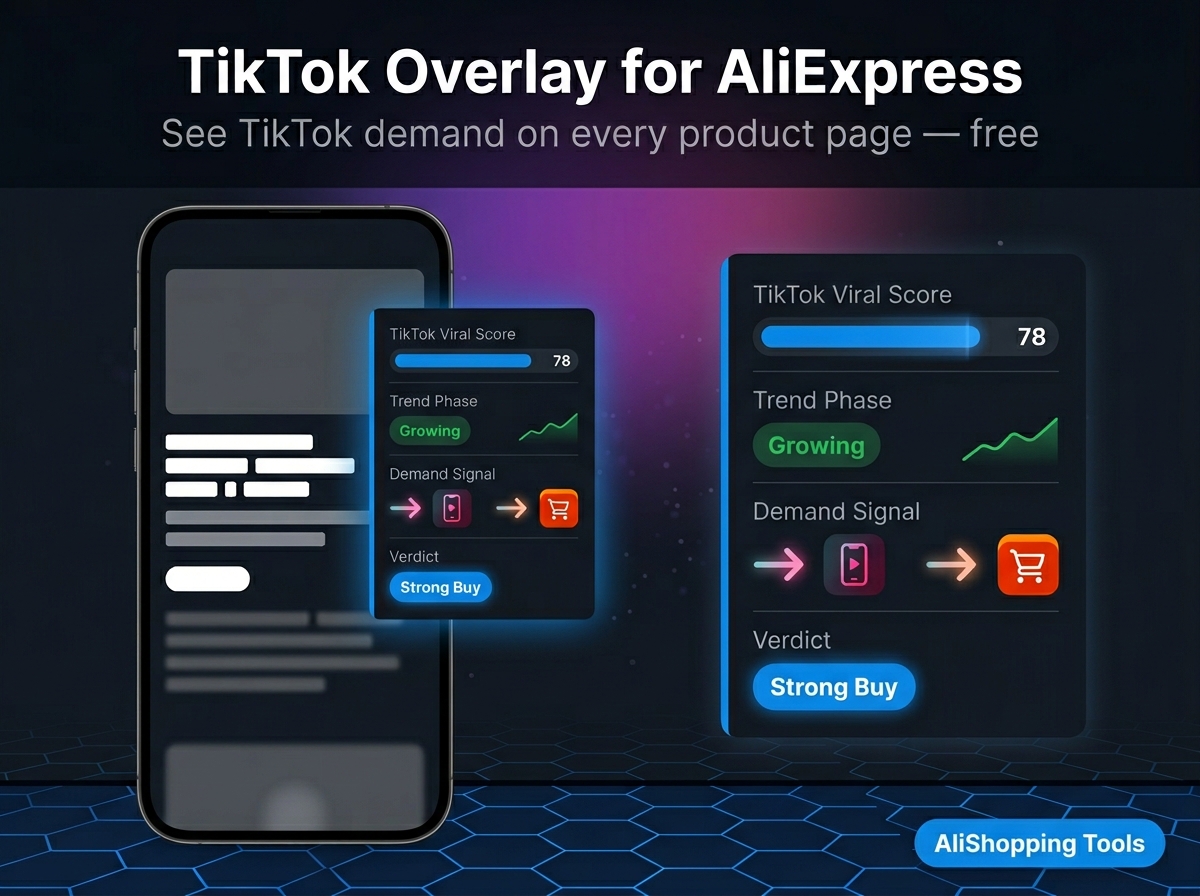
What "TikTok overlay for AliExpress" actually means
The phrase sounds technical but the concept is simple. When you open an AliExpress product page with AliShopping Tools installed, the extension injects a panel alongside the product listing that shows:
- TikTok viral score — a 0-100 score reflecting current TikTok Shop demand signals for this product category and keyword cluster
- Demand-trend momentum — whether demand is accelerating or cooling, read from the order-velocity trajectory and TikTok engagement pattern
- Demand indicator — cross-referenced demand signal showing whether TikTok Shop is pulling this product up or the AliExpress momentum is purely organic
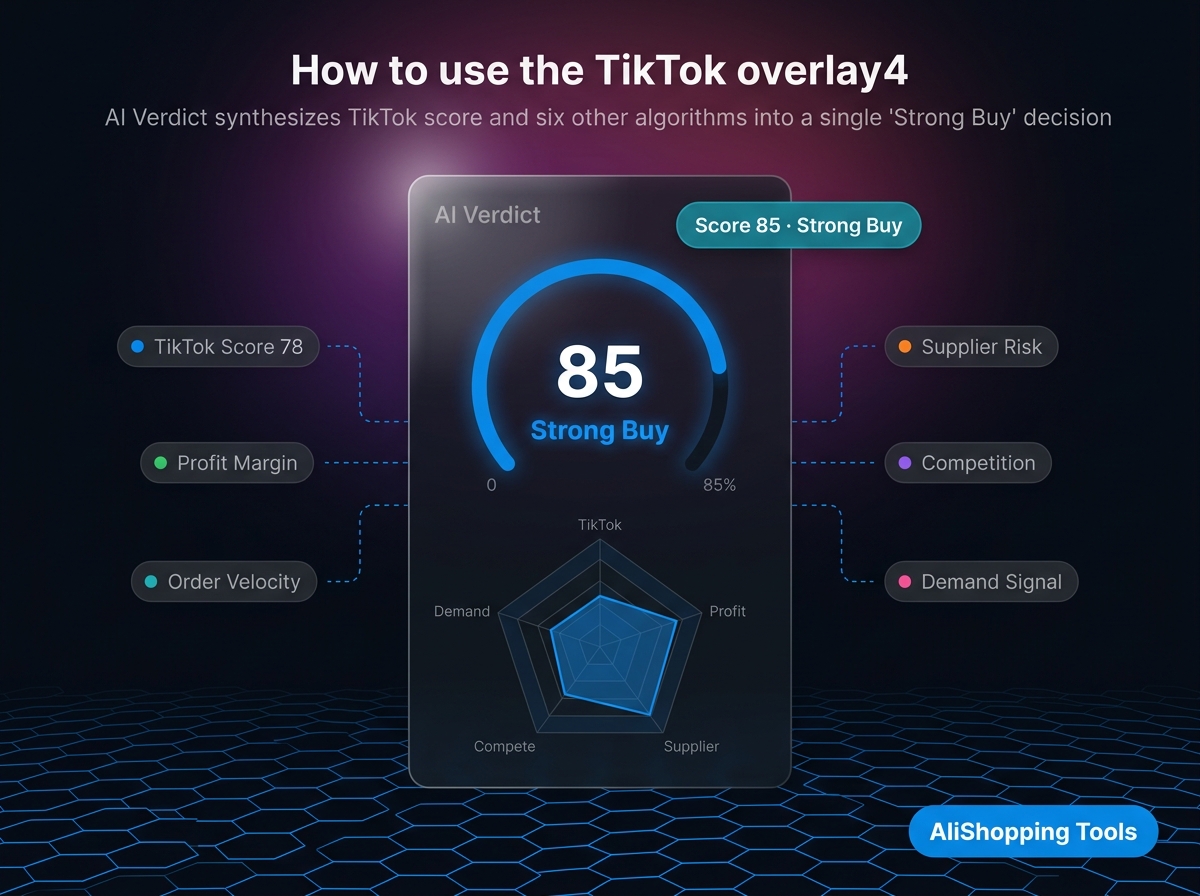
- AI verdict — synthesises TikTok score + 6 other scoring algorithms into a single Buy / Skip decision
All of this appears directly on the AliExpress page — no need to open TikTok separately, cross-reference manually, or pay for a dedicated TikTok-spy tool.
Why TikTok data matters for AliExpress product research
TikTok Shop and AliExpress operate on different demand dynamics. AliExpress measures established demand — products with thousands of cumulative orders. TikTok Shop measures emerging demand — products that went from zero to viral in 72 hours. The products that win in 2026 dropshipping often show up on TikTok before they peak on AliExpress order volume.
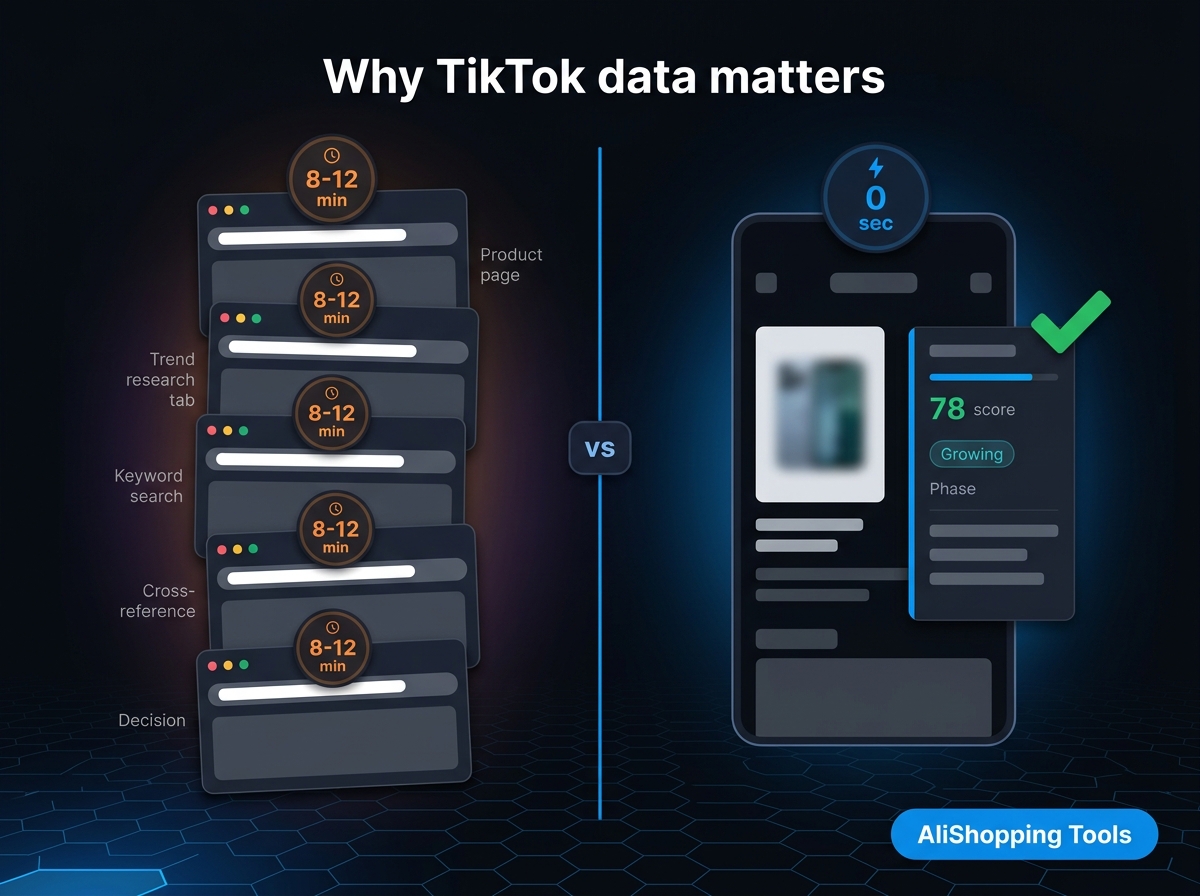
The research workflow before this extension existed:
- Find product on AliExpress, note category and keywords
- Open TikTok Creative Center in a new tab
- Search keywords manually
- Try to correlate what you see on TikTok with what is on the AliExpress listing
- Make a judgment call with incomplete data
That workflow takes 8-12 minutes per product. The overlay collapses it to zero seconds — the score is there when the page loads.
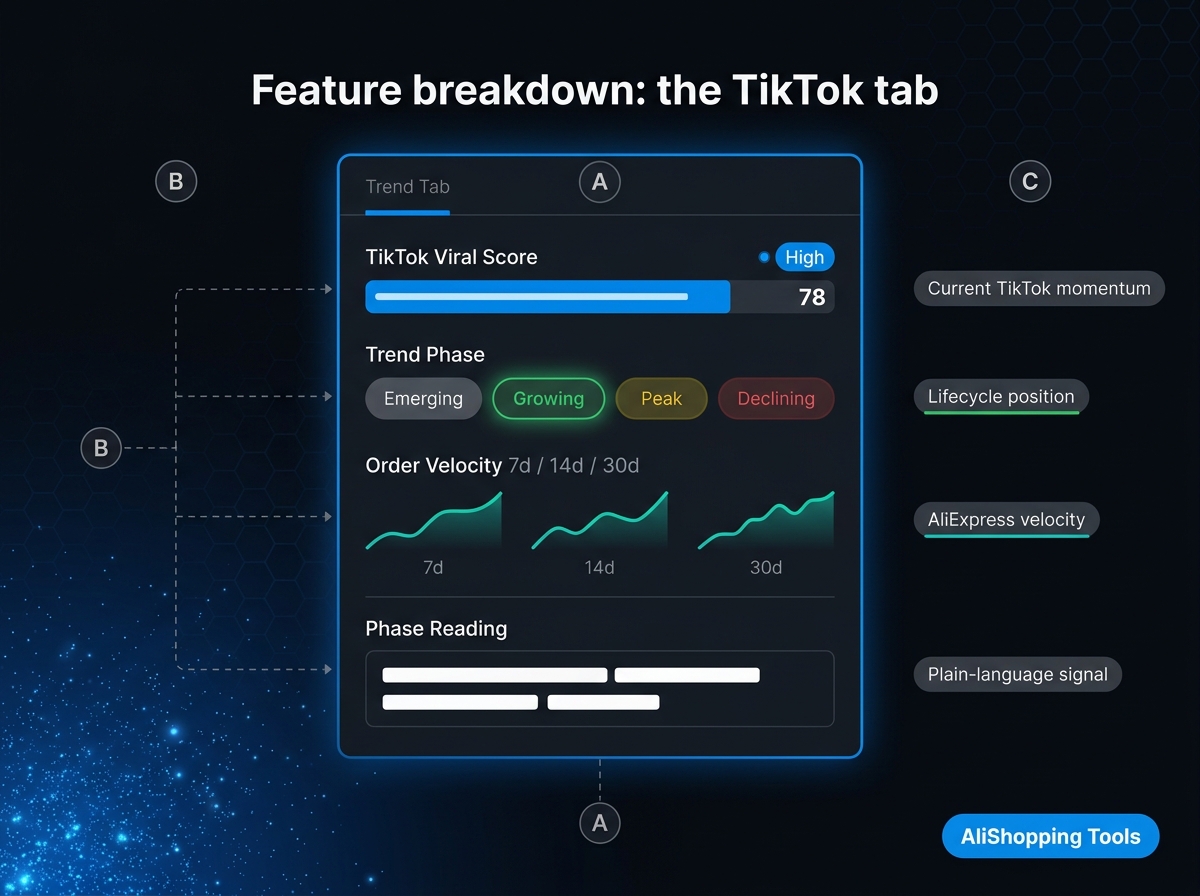
Feature breakdown: the TikTok tab
When you open the extension panel on any AliExpress product page, the Trend tab shows:
| Signal | What it tells you |
|---|---|
| TikTok viral score (0-100) | Current momentum on TikTok Shop for this product's keyword cluster |
| Demand-trend momentum | Whether demand is accelerating or cooling, from the order-velocity trajectory |
| Order velocity (7d/14d/30d) | AliExpress order trajectory — complements the TikTok signal |
| Momentum interpretation | Plain-language explanation: "This product is growing fast — TikTok and AliExpress both trending up" |
The demand-trend read is based on order velocity trajectory, not a single-day count. A product with 1,000 orders/month growing at 40% weekly rates differently than one with 10,000 orders/month declining 5% weekly.
How to use the TikTok overlay for product research
Step 1 — Install the extension Install AliShopping Tools from the Chrome Web Store — free, no account.
Step 2 — Open any AliExpress product page Navigate to AliExpress.com and open a product you are considering. The extension panel appears automatically on the right side of the page.
Step 3 — Read the Trend tab Click the Trend tab (or it loads by default). Read the TikTok viral score and demand-trend momentum first. If the viral score is above 60 and demand is still accelerating, this product has TikTok momentum that AliExpress order count does not yet reflect.
Step 4 — Cross-check the AI verdict The Verdict tab synthesises TikTok score + profit margin + supplier risk + competition read into one decision. A Buy verdict on a product with rising demand and a strong viral score is the signal combination most experienced dropshippers want to see.
Step 5 — Check supplier + profit Use the Supplier tab to compare who else sells this product and at what price. Use the Profit tab to run the margin math before sourcing.
What the overlay does not replace
Be honest with yourself about limits:
- Raw TikTok Shop creative data — The overlay shows demand signals, not individual video view counts or specific creator handles. For deep TikTok Shop creative research (which exact video format is converting, which creator niche is driving sales), use TikTok Creative Center alongside this extension.
- Paid TikTok Shop dashboards — Tools like FastMoss or Kalodata give raw TikTok Shop order data pulled directly from TikTok's API. The overlay's TikTok score is a demand-signal model, not a direct API count. For attribution-level TikTok Shop analytics at scale, a paid tool has deeper data.
- Historical trending data beyond 30 days — The overlay is focused on the current momentum window. Multi-year product history is outside its scope.
Who this is for
- AliExpress dropshippers evaluating whether a product has TikTok demand before testing it with paid ads
- Content creators looking for AliExpress products they know will have strong TikTok Shop comp (proof of demand before creating content)
- Sourcing agents checking whether client-requested products have rising or cooling demand before placing bulk orders
- Beginners who want one unified score instead of managing five separate tabs per product
FAQ
Is the TikTok overlay free?
Yes. The TikTok trend data and viral score are included in the free AliShopping Tools extension — no paid tier, no trial clock. Install it from the Chrome Web Store and use it immediately.
Does the overlay connect to TikTok's API directly?
The overlay uses a demand-signal model built from TikTok Shop data patterns, keyword momentum, and correlated order velocity signals — not a live TikTok API call on every page load. It is a scoring model, not a real-time dashboard. For real-time TikTok Shop order counts, use a dedicated TikTok analytics tool alongside the extension.
Which AliExpress product pages does the overlay work on?
The extension works on standard AliExpress product pages (aliexpress.com/item/...). It does not work on AliExpress search results pages or the AliExpress mobile app. Desktop Chrome only.
How often is the TikTok score updated?
Score signals are refreshed regularly as part of the extension's backend data pipeline. The demand-trend read reflects the trailing window, not a single day's signal.
Can I use this alongside other TikTok spy tools?
Yes. The extension does not conflict with other Chrome extensions. Many operators run AliShopping Tools for the AliExpress-side overlay and a TikTok creative spy tool (like FastMoss or Kalodata) for the TikTok-side creative data — the two cover different surfaces without overlap.
Disclosure: This article is published by the AliShopping Tools team. Feature and pricing claims are based on publicly advertised information as of May 2026. If you notice anything out of date, contact us via the contact page.
Ready to find winning products?
Try AliShopping Tools — 15 free AI tools for product research.
Quick answers
Frequently Asked Questions
1How do I see TikTok Shop data on AliExpress product pages?
Install AliShopping Tools (free Chrome extension, no account).
It overlays TikTok Shop sales data — viral score, demand-trend direction (rising, stable, or declining), and TikTok demand indicator — directly on every AliExpress product page.
It is the only free tool combining AliExpress product data with TikTok Shop signals in a single overlay.
2What TikTok data does the AliExpress overlay show?
The TikTok overlay on AliExpress shows: viral score (0 to 100 indicating creator activity and demand momentum), demand-trend direction (whether TikTok demand is rising, stable, or declining), and a demand indicator (rising, stable, or declining).
Together these signals help identify whether a product is in the optimal entry window before AliExpress saturation peaks.
3Is there any other free tool that overlays TikTok data on AliExpress?
No.
AliShopping Tools is the only free tool that combines AliExpress product research with TikTok Shop demand signals in a single browser overlay.
Other tools require switching between platforms or paying for subscriptions that include both data sources.
4What viral score indicates a product is worth sourcing based on TikTok data?
A TikTok viral score above 60 with a rising demand trend represents the best sourcing opportunity.
The product has meaningful TikTok creator momentum but has not yet saturated the AliExpress supply side.
Products with scores above 85 are often already too competitive for new dropship entrants.
5Can I use the TikTok overlay on mobile browsers or only on desktop Chrome?
The TikTok overlay currently works only on desktop Chrome; it does not render on mobile browsers or the AliExpress app.
The extension relies on Chrome’s content‑script API, which is unavailable in iOS Safari or Android Chrome’s mobile mode.
If you need the data on a laptop, simply open AliExpress in Chrome and the AliShopping Tools overlay will load automatically.
For mobile users, a workaround is to use Chrome’s remote‑debugging feature to mirror the desktop session, though the overlay will still only appear when the desktop view is active.
At present, no native mobile version is planned.
More from the blog
How to See TikTok Shop Data on Any AliExpress Product Page (Free)
See TikTok Shop demand on any AliExpress product: viral score (0-100), trend phase, order momentum — right on the page. Free extension, no account.
4 min read
Top TikTok Shop Products July 2026: 12 Specific Products Worth Sourcing
12 individually named TikTok Shop-adjacent products for July 2026 — pool and water-play, car and road-trip organization, pet summer/travel, and sub-$30 impulse gadgets — with real, sourced price bands and how to source the AliExpress equivalents.
14 min read
How to Do Product Research for Dropshipping: 7-Step Framework (Free Tools, 2026)
A repeatable 7-step product research framework for dropshippers in 2026 — from idea sourcing to live testing, using only free tools. No Ecomhunt subscription needed.
12 min read