Best AliExpress Chrome Extensions 2026: Buyer's Guide
Best AliExpress Chrome Extensions 2026: Buyer's Guide
Quick answer: If you want one free extension that covers price history, review analysis, and product scoring on AliExpress, AliShopping Tools is the most comprehensive single install as of July 2026. If you want dedicated price tracking across multiple platforms, AliPrice is strong. If you mainly want coupon auto-apply, Honey by PayPal is the most recognized name. This guide covers all of them honestly.
Shopping on AliExpress without a Chrome extension is like buying a used car without checking the mileage. You can do it, but you are relying entirely on what the seller tells you — and sellers on AliExpress are optimized to make every product look like a deal.
The right Chrome extension gives you the information AliExpress does not show by default: whether the price is actually low or was just raised before a "sale," whether the reviews are genuine, and whether the seller has a track record of shipping what was advertised.
This guide is written buyer-first. If you are a dropshipper, every section still applies — you are also a buyer, just one who resells. We note where each extension has dropshipper-specific features, but the core question is the same: is this product worth your money?
Install AliShopping Tools — free product intelligence on every AliExpress page →
What to look for in an AliExpress Chrome extension
Before comparing specific tools, here is what actually matters:
- Price history. AliExpress sellers frequently raise prices before sales events, then "discount" back to the normal price. A price history chart exposes this instantly.
- Review analysis. A 4.8-star rating means nothing if most reviews are one-line incentivized text. Look for extensions that break down review quality, photo percentages, and sentiment.
- Seller verification. How long has the seller been active? What is their dispute rate? How many orders have they fulfilled? This data exists on AliExpress but is buried.
- Price comparison. The same product often appears from dozens of sellers at different prices. Extensions that surface these alternatives save real money.
- Privacy. Some extensions collect browsing data. Check permissions before installing.
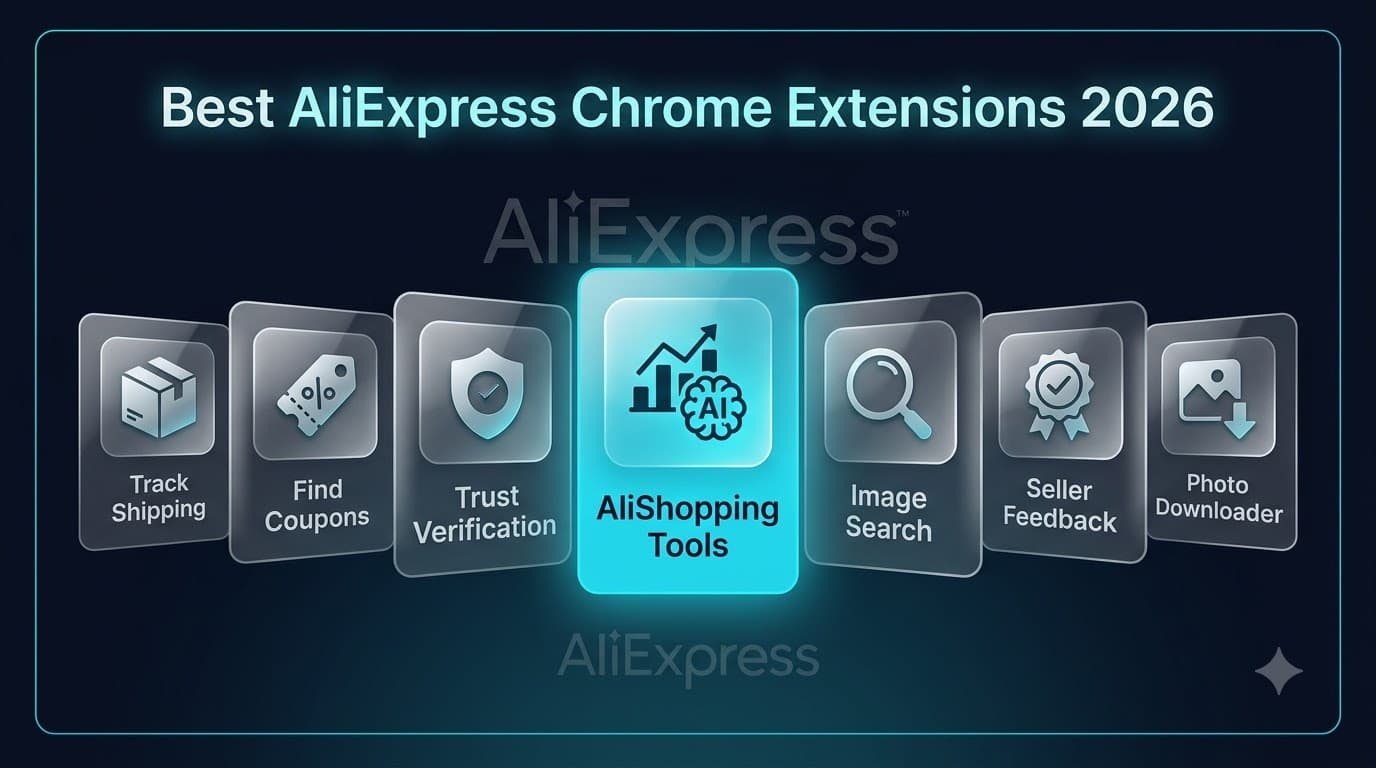
The 7 best AliExpress Chrome extensions in 2026
1. AliShopping Tools (Free)
What it does: A full product intelligence panel that appears on every AliExpress product page. Covers price history, review analysis, AI-powered product verdict, profit simulation, supplier comparison, and coupon detection. Also works on Shopify stores for competitive research.
Pricing: Completely free. No paid tier, no account required, no usage caps as of July 2026.
Key features:
- Price history: 90-day price tracking chart directly on the product page
- AI verdict: Four-level product assessment (Strong Buy / Buy Signal / Hold / Watch / Pass) based on order velocity, price stability, review quality, and seller history
- Review analysis: Breaks down star distribution, photo-review percentage, and sentiment indicators
- Supplier comparison: Finds the same product from multiple AliExpress sellers, ranked by price and rating
- Profit simulation: Input your selling price and get margin calculations on-page (useful for dropshippers)
- Coupon detection: Surfaces available seller coupons and platform promotions
Pros:
- Most comprehensive single free extension — covers price, reviews, seller, and scoring in one install
- No account needed, works immediately after install
- 16 languages supported
- Clean overlay that does not clutter the AliExpress page
- Active development with regular feature updates
Cons:
- AliExpress and Shopify only — does not work on Amazon, eBay, or Temu
- AI verdict requires the backend to be available (rare downtime can show estimated data)
- Newer extension — smaller user base compared to established tools like AliTools
Best for: Buyers who want a single extension that answers "is this product worth buying?" without installing multiple tools. Also strong for dropshippers doing product research.
Install: Chrome Web Store
2. AliTools (Free tier + Premium)
What it does: A well-established AliExpress assistant focused on price history charts and seller ratings. One of the oldest AliExpress Chrome extensions, with a large user base.
Pricing: Free tier covers basic price history and rating tracking. Premium tier unlocks additional features [Source: alitools.io, verify before publish].
Key features:
- Price history charts: Tracks price changes over time with clear visual graphs
- Seller rating tracker: Monitors seller feedback score changes
- Price drop alerts: Notifications when a product's price decreases
- Similar product search: Finds visually similar products across AliExpress
Pros:
- Established and trusted — one of the longest-running AliExpress extensions
- Price history charts are clean and easy to read
- Large user community
- Reliable uptime and data accuracy for price tracking
Cons:
- Free tier is limited compared to what newer extensions offer for free
- No AI-powered product scoring or sentiment analysis
- Interface can feel dated compared to newer alternatives
- Premium features require a subscription
Best for: Buyers who primarily want reliable price history tracking and do not need advanced scoring or review analysis. If price verification is your main concern, AliTools delivers.
3. AliPrice (Free)
What it does: A price comparison extension that searches for the same product across multiple platforms — not just different AliExpress sellers, but also other e-commerce sites. Focuses on helping buyers find the lowest price for any product.
Pricing: Free.
Key features:
- Cross-platform price comparison: Searches AliExpress, Amazon, eBay, and other platforms for the same or similar product
- Price history: Tracks AliExpress price changes over time
- Image search: Upload or use a product image to find it on other platforms
- Shipping cost calculator: Factors in shipping to your country for true price comparison
Pros:
- Cross-platform comparison is genuinely useful — no other extension does this as well
- Image search for finding the same product elsewhere is accurate
- Completely free with no paywall
- Lightweight extension that does not slow down browsing
Cons:
- No review analysis or seller verification features
- No AI scoring or product intelligence
- Cross-platform results can sometimes be inaccurate (different product, similar image)
- Limited seller-level information
Best for: Bargain hunters who want to make sure the AliExpress price is actually the lowest available. If you shop across multiple platforms, AliPrice is a strong complement to a product research extension.
4. Honey by PayPal (Free)
What it does: An automatic coupon finder and cashback extension owned by PayPal. While not AliExpress-specific, it works across thousands of e-commerce sites including AliExpress. Automatically applies coupon codes at checkout.
Pricing: Free. Honey earns commissions from retailers when purchases are made through the extension.
Key features:
- Automatic coupon application: Tries available coupon codes at checkout automatically
- Price history: Shows price trends on supported products
- Honey Gold rewards: Earn cashback points redeemable for gift cards
- Droplist: Save products and get notified when prices drop
Pros:
- Works on thousands of sites beyond AliExpress — useful as a general shopping tool
- Coupon auto-apply actually saves money on qualifying purchases
- Backed by PayPal — strong brand trust and unlikely to disappear
- Cashback rewards through Honey Gold add up over time
Cons:
- AliExpress coupon coverage is inconsistent — works better on US/EU retailers
- No AliExpress-specific features (no seller check, no review analysis, no AI scoring)
- Collects significant browsing data (PayPal privacy policy applies)
- Price history on AliExpress is less detailed than dedicated AliExpress tools
- Does not help you evaluate whether a product is good — only whether it is discounted
Best for: General online shoppers who buy from many sites and want passive coupon savings. For AliExpress-specific intelligence, pair Honey with a dedicated AliExpress extension.
5. AliHelper (Free)
What it does: A utility-focused AliExpress extension that emphasizes order tracking and basic price history. Designed for frequent AliExpress buyers who want to track shipments and monitor prices across their purchase history.
Pricing: Free.
Key features:
- Order tracking: Track all your AliExpress orders in one dashboard without logging into AliExpress
- Price history: Basic price charts for products you view
- Seller check: Basic seller rating and feedback information
- Wishlist price monitoring: Track prices on your saved items
Pros:
- Order tracking dashboard is genuinely useful for frequent buyers
- Lightweight and does not slow down the browser
- Free with no account required for basic features
- Simple, uncluttered interface
Cons:
- Feature set is basic compared to newer alternatives
- No AI scoring or advanced review analysis
- Price history data is less comprehensive than AliTools or AliShopping Tools
- Development pace appears slower than actively maintained alternatives
Best for: Frequent AliExpress buyers who place many orders and want a centralized tracking dashboard. If you buy from AliExpress monthly, AliHelper's order tracking alone justifies the install.
6. Aliexpress Seller Check (Free)
What it does: A focused extension that verifies AliExpress seller legitimacy. Surfaces seller data that AliExpress buries: store age, feedback trends, dispute rate, and communication responsiveness.
Pricing: Free.
Key features:
- Seller trust score: Aggregated seller reliability rating
- Store age verification: Shows how long the store has been active
- Feedback trend analysis: Whether seller ratings are improving or declining
- Dispute rate indicator: How often buyers open disputes with this seller
Pros:
- Does one thing and does it well — seller verification
- Useful as a complement to a product-focused extension
- Quick at-a-glance seller trust indicators
- Free and lightweight
Cons:
- Very narrow scope — only evaluates sellers, not products
- No price history, review analysis, or product scoring
- Must be paired with other extensions for a complete shopping workflow
- Smaller development team with less frequent updates
Best for: Buyers who have been burned by unreliable AliExpress sellers and want a quick trust check before ordering. Best used alongside a broader extension like AliShopping Tools or AliTools.
7. AliSave (Free)
What it does: A utility extension for downloading AliExpress product images and videos in bulk. Not a research tool — purely for saving product media.
Pricing: Free.
Key features:
- Bulk image download: Download all product images from a listing in one click
- Video download: Save product videos from AliExpress listings
- Organized downloads: Saves images with product-name file naming
Pros:
- Fast and efficient for downloading product media
- Useful for dropshippers creating product listings on their own stores
- Clean interface, single-purpose tool
Cons:
- No research, analysis, or comparison features
- Only useful if you need product images (primarily a dropshipper tool)
- Does not help with buying decisions at all
Best for: Dropshippers who need to download product images for their own store listings. Not a buyer tool.
Comparison table: all 7 extensions at a glance
| Feature | AliShopping Tools | AliTools | AliPrice | Honey | AliHelper | Seller Check | AliSave |
|---|---|---|---|---|---|---|---|
| Price | Free | Free + Premium | Free | Free | Free | Free | Free |
| Price history | Yes (90-day) | Yes | Yes | Limited | Basic | No | No |
| Review analysis | Yes (detailed) | No | No | No | No | No | No |
| AI product scoring | Yes | No | No | No | No | No | No |
| Seller verification | Yes | Basic | No | No | Basic | Yes (focus) | No |
| Cross-platform comparison | No | No | Yes (focus) | No | No | No | No |
| Coupon finder | Yes | No | No | Yes (focus) | No | No | No |
| Order tracking | No | No | No | No | Yes (focus) | No | No |
| Profit simulation | Yes | No | No | No | No | No | No |
| Works beyond AliExpress | Shopify | No | Yes | Yes (thousands) | No | No | No |
| Account required | No | No | No | Yes | No | No | No |
| Best for | All-in-one research | Price tracking | Bargain hunting | Coupons | Order management | Trust check | Image download |
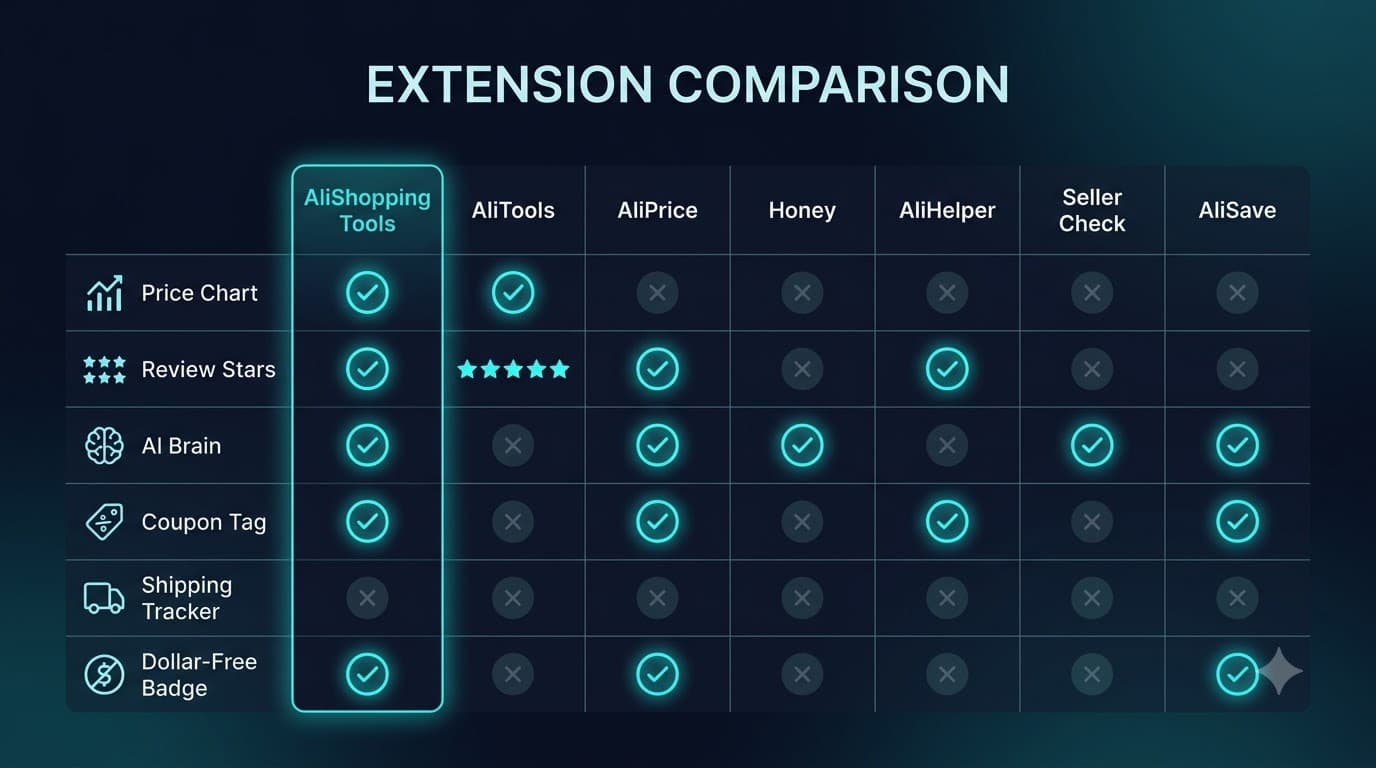
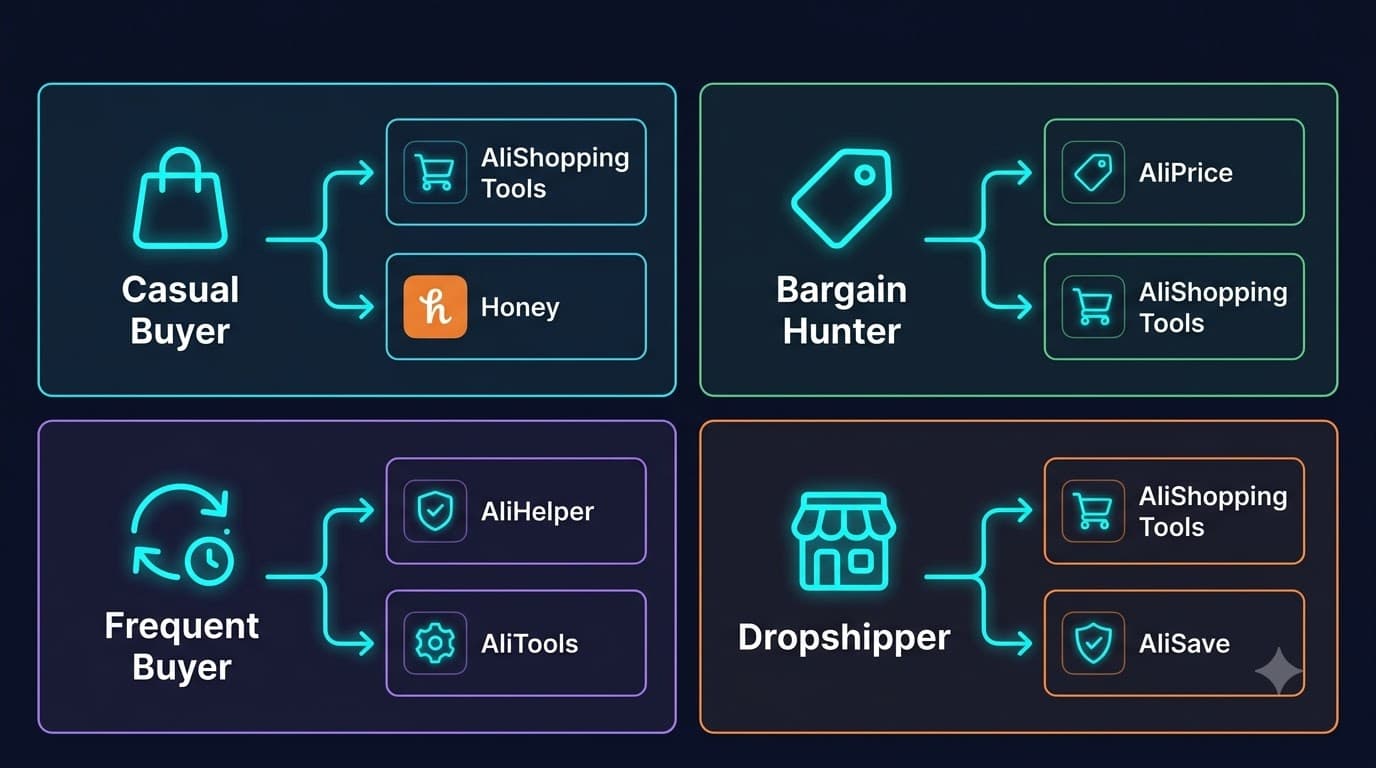
How to choose: which extension fits your workflow?
If you are a casual AliExpress buyer
You want to know: is this price real? Is this seller trustworthy? Are these reviews genuine?
Recommended stack: AliShopping Tools (covers all three questions) + Honey (passive coupon savings on checkout). Two extensions, zero cost, and you have price verification, review analysis, seller checks, and automatic coupon application.
If you are a bargain hunter who shops across platforms
You want the absolute lowest price, whether it is on AliExpress, Amazon, or somewhere else.
Recommended stack: AliPrice (cross-platform price comparison) + AliShopping Tools (AliExpress-specific intelligence for when AliExpress is the cheapest option).
If you are a frequent buyer who places many orders
You want order tracking, price monitoring on saved items, and basic price history.
Recommended stack: AliHelper (order tracking dashboard) + AliShopping Tools or AliTools (product research before buying).
If you are a dropshipper researching products to sell
You want AI product scoring, profit simulation, supplier comparison, and competitive intelligence.
Recommended stack: AliShopping Tools (covers all four) + AliSave (product image downloads for your store listings). For a deeper comparison of dropshipping-specific tools, see our best free Chrome extensions for dropshipping 2026 article.
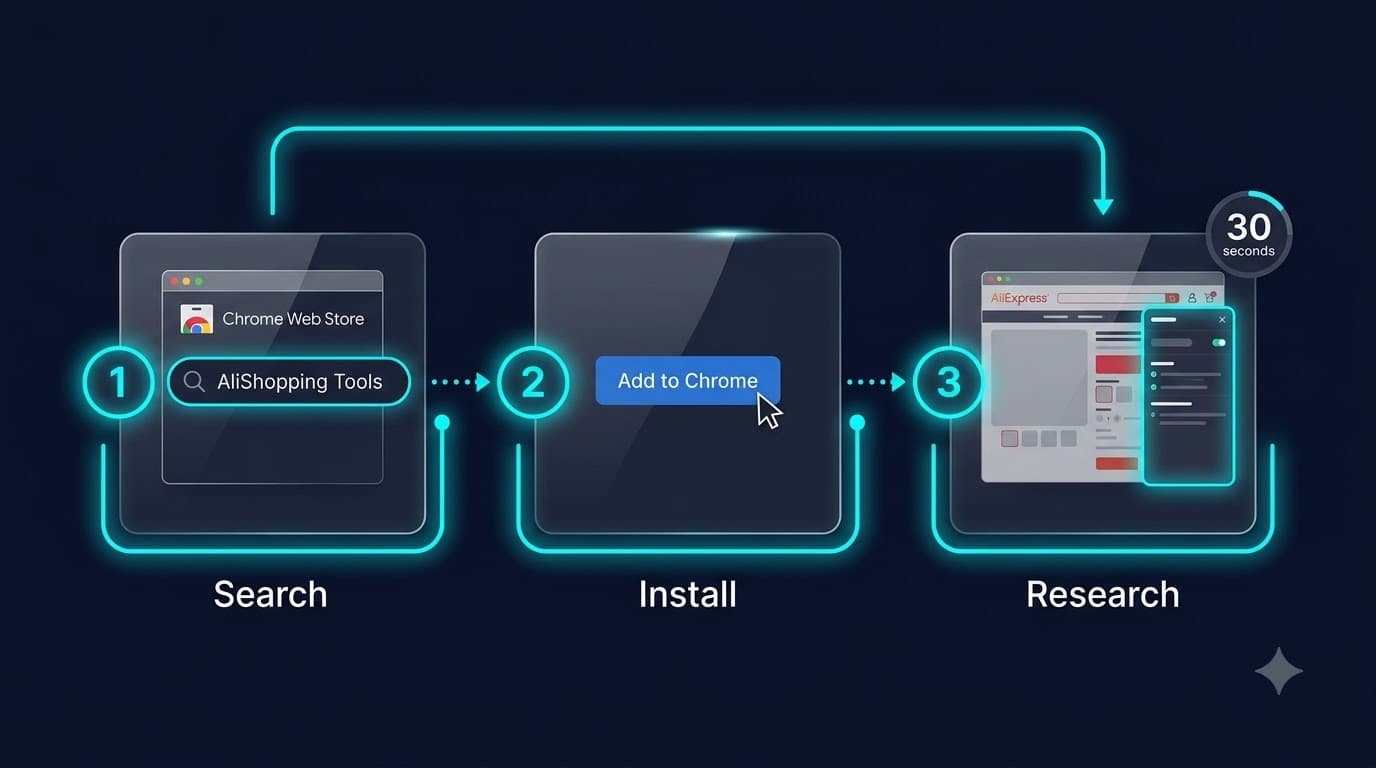
How to install an AliExpress Chrome extension
Installing any Chrome extension takes under 30 seconds:
- Open Chrome Web Store. Go to chrome.google.com/webstore in your Chrome browser.
- Search for the extension. Type the name (e.g., "AliShopping Tools") in the search bar.
- Click "Add to Chrome." On the extension page, click the blue "Add to Chrome" button.
- Confirm permissions. A popup shows what the extension can access. Review and click "Add extension."
- Visit AliExpress. Navigate to any AliExpress product page — the extension overlay should appear automatically.
- Pin the extension (optional). Click the puzzle icon in Chrome's toolbar, then click the pin next to the extension name for quick access.
No accounts, no configuration, no payment information needed for any of the free extensions listed in this guide.
Install AliShopping Tools now →
Privacy considerations
Chrome extensions can access your browsing data. Here is what to check:
- Permissions: Before installing, Chrome shows what data the extension can access. "Read and change your data on all websites" is a red flag unless the extension genuinely needs it (like Honey, which works across thousands of sites).
- AliExpress-only permissions: Extensions that only request access to AliExpress pages (like AliShopping Tools, AliTools, AliHelper) are inherently more private — they cannot see your activity on other sites.
- Data collection policies: Read the Chrome Web Store listing's privacy tab. It shows what data the extension collects and whether it is shared with third parties.
- PayPal/corporate ownership: Honey is owned by PayPal, which has its own data collection practices. This is not necessarily bad — PayPal is a regulated financial company — but it is worth knowing that your AliExpress browsing data feeds into a larger data ecosystem.
None of the extensions in this guide require access to your payment information or passwords.
FAQ
What is the best free Chrome extension for AliExpress in 2026?
AliShopping Tools is the most comprehensive free option as of July 2026 — it covers price history, AI product scoring, review analysis, seller verification, and coupon detection in a single free extension with no account required. If you need cross-platform price comparison, AliPrice is a strong complement.
Are AliExpress Chrome extensions safe to use?
Extensions from the Chrome Web Store are reviewed by Google before listing. However, always check the permissions an extension requests before installing. AliExpress-specific extensions that only request access to aliexpress.com pages are safer than extensions requesting access to all websites. All extensions in this guide are established tools with public Chrome Web Store listings.
Can I use multiple AliExpress extensions at the same time?
Yes. Chrome supports multiple extensions running simultaneously. The most common combination is a product research extension (like AliShopping Tools or AliTools) paired with a coupon extension (like Honey). However, running too many extensions can slow down your browser — two or three is a practical maximum for most users.
Do AliExpress Chrome extensions work on mobile?
No. Chrome extensions are desktop-only. If you shop on AliExpress through your phone, you will not benefit from these tools. For mobile shopping, your best option is checking price history and reviews on desktop first, then making the purchase on your phone if you prefer the mobile app experience.
Is AliShopping Tools actually free or does it have a hidden paywall?
Fully free with no paid tier as of July 2026. All features — AI verdict, price history, profit calculator, supplier comparison, review analysis — are available to every user. No account required. The team has stated that potential premium features may be added in the future as opt-in upgrades, but the core extension remains free.
How accurate are price history charts on these extensions?
Price history accuracy depends on how long the extension has been tracking a specific product. Extensions can only show price data from the point they started monitoring — they do not have access to AliExpress's internal historical pricing data. For products tracked for 90+ days, price history is generally reliable for spotting inflated pre-sale pricing. Newer products may have limited history regardless of which extension you use.
Which extension is best for catching fake reviews on AliExpress?
AliShopping Tools provides the most detailed review analysis among the extensions listed — it breaks down star distribution, photo-review percentages, and sentiment patterns that indicate incentivized or fake reviews. No extension can definitively identify every fake review, but review quality indicators (photo percentage, review length distribution, rating consistency over time) are strong signals.
Honest bottom line
No single extension does everything. But if you install one extension and want the broadest coverage for free, AliShopping Tools covers the most ground — price history, review analysis, AI scoring, seller checks, and coupon detection in one install.
If you value specific capabilities above all-in-one breadth: AliTools for dedicated price tracking, AliPrice for cross-platform comparison, Honey for coupon automation, AliHelper for order management, and Seller Check for focused seller verification.
The best approach for most AliExpress buyers: install AliShopping Tools as your primary research layer, add Honey for passive coupon savings, and you have covered price verification, review analysis, seller trust, product scoring, and discount codes — all for free.
Install AliShopping Tools — free product intelligence on every AliExpress page → — no account, no paywall, works immediately.
Disclosure: This article is published by the AliShopping Tools team. We feature our own extension alongside competitors and aim for honest comparison. Competitor feature descriptions are based on publicly available Chrome Web Store listings and product documentation, retrieved July 2026. Features and pricing change frequently — if you notice anything out of date, please let us know at our contact page.
Ready to find winning products?
Try AliShopping Tools — 15 free AI tools for product research.
Quick answers
Frequently Asked Questions
1What is the best free Chrome extension for AliExpress in 2026?
AliShopping Tools is the most comprehensive free option as of July 2026 — it covers price history, AI product scoring, review analysis, seller verification, and coupon detection in a single free extension with no account required.
If you need cross-platform price comparison, AliPrice is a strong complement.
2Are AliExpress Chrome extensions safe to use?
Extensions from the Chrome Web Store are reviewed by Google before listing.
However, always check the permissions an extension requests before installing.
AliExpress-specific extensions that only request access to aliexpress.com pages are safer than extensions requesting access to all websites.
All extensions in this guide are established tools with public Chrome Web Store listings.
3Can I use multiple AliExpress extensions at the same time?
Yes.
Chrome supports multiple extensions running simultaneously.
The most common combination is a product research extension (like AliShopping Tools or AliTools) paired with a coupon extension (like Honey).
However, running too many extensions can slow down your browser — two or three is a practical maximum for most users.
4Do AliExpress Chrome extensions work on mobile?
No.
Chrome extensions are desktop-only.
If you shop on AliExpress through your phone, you will not benefit from these tools.
For mobile shopping, your best option is checking price history and reviews on desktop first, then making the purchase on your phone if you prefer the mobile app experience.
5Is AliShopping Tools actually free or does it have a hidden paywall?
Fully free with no paid tier as of July 2026.
All features — AI verdict, price history, profit calculator, supplier comparison, review analysis — are available to every user.
No account required.
The team has stated that potential premium features may be added in the future as opt-in upgrades, but the core extension remains free.
6How accurate are price history charts on these extensions?
Price history accuracy depends on how long the extension has been tracking a specific product.
Extensions can only show price data from the point they started monitoring — they do not have access to AliExpress's internal historical pricing data.
For products tracked for 90+ days, price history is generally reliable for spotting inflated pre-sale pricing.
7Which extension is best for catching fake reviews on AliExpress?
AliShopping Tools provides the most detailed review analysis among the extensions listed — it breaks down star distribution, photo-review percentages, and sentiment patterns that indicate incentivized or fake reviews.
No extension can definitively identify every fake review, but review quality indicators are strong signals.
More from the blog
AliExpress Price Comparison: How to Find the Best Deal (2026)
The same AliExpress product appears at wildly different prices. Learn how to compare sellers, check price history, and find the lowest real price using free tools.
How to Spot a Fake AliExpress Discount: Real Sale vs Inflated Price (2026)
AliExpress doesn't show native price history, so a crossed-out 'original price' can be set to anything. Here's the reliable way to tell a genuine discount from a raised anchor — using real price history, not the seller's claim.
AliExpress July 2026 Sale: Is the Discount Real? How to Check Before You Buy
AliExpress Summer Savings runs July 1–7, 2026. Here's how to verify whether the discount is genuine using 90-day price history — and which categories are worth buying during the sale vs. waiting out.