How to Detect What Apps a Shopify Store Is Using
How to Detect What Apps a Shopify Store Is Using
Quick answer: The fastest free method is to install AliShopping Tools Chrome extension and visit the store — it detects 200+ apps in 30-60 seconds; the no-install alternative is to enter the store URL at BuiltWith.com for a web-based tech stack check.
Knowing what apps your competitors use on Shopify reveals their marketing strategy, customer service setup, fulfilment approach, and growth stage — in 60 seconds.
Install AliShopping Tools — detects 200+ Shopify apps on any store →
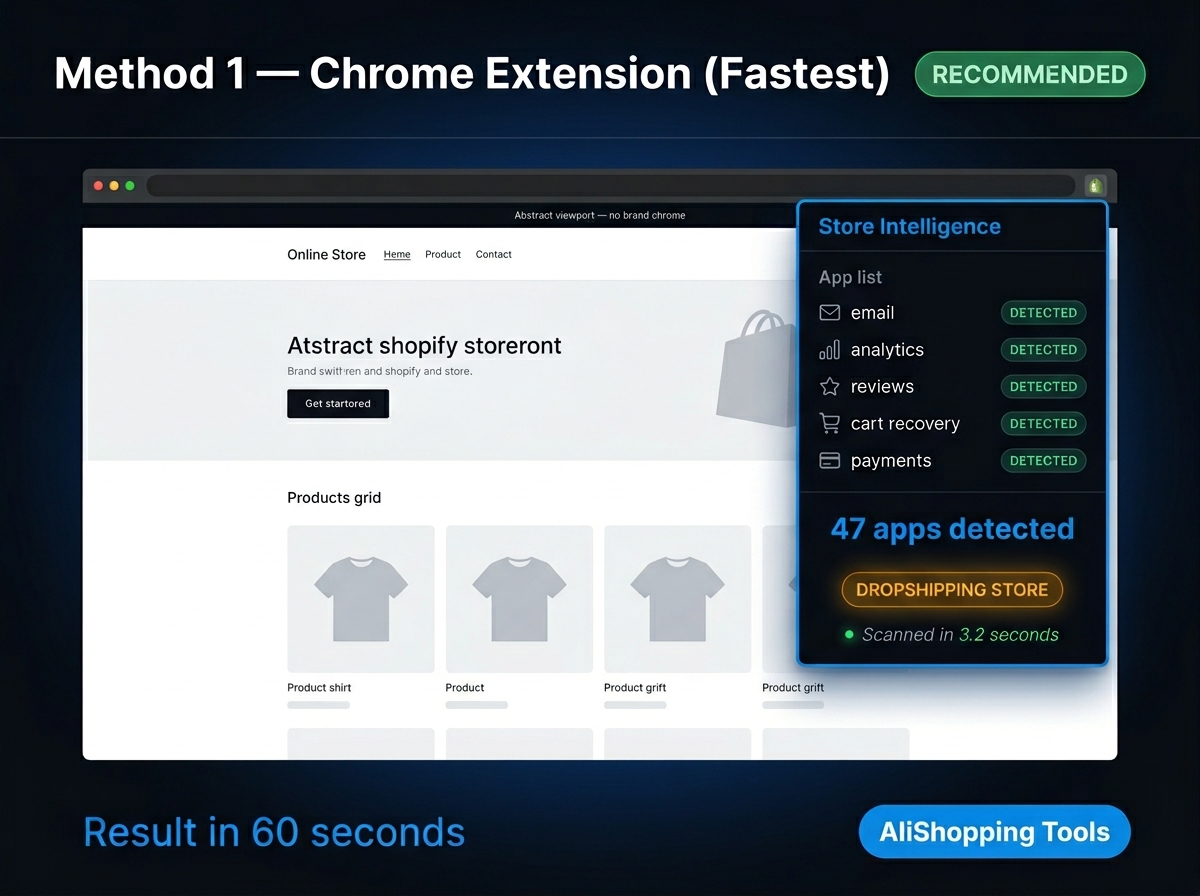
Method 1 — Chrome extension (fastest and most comprehensive)
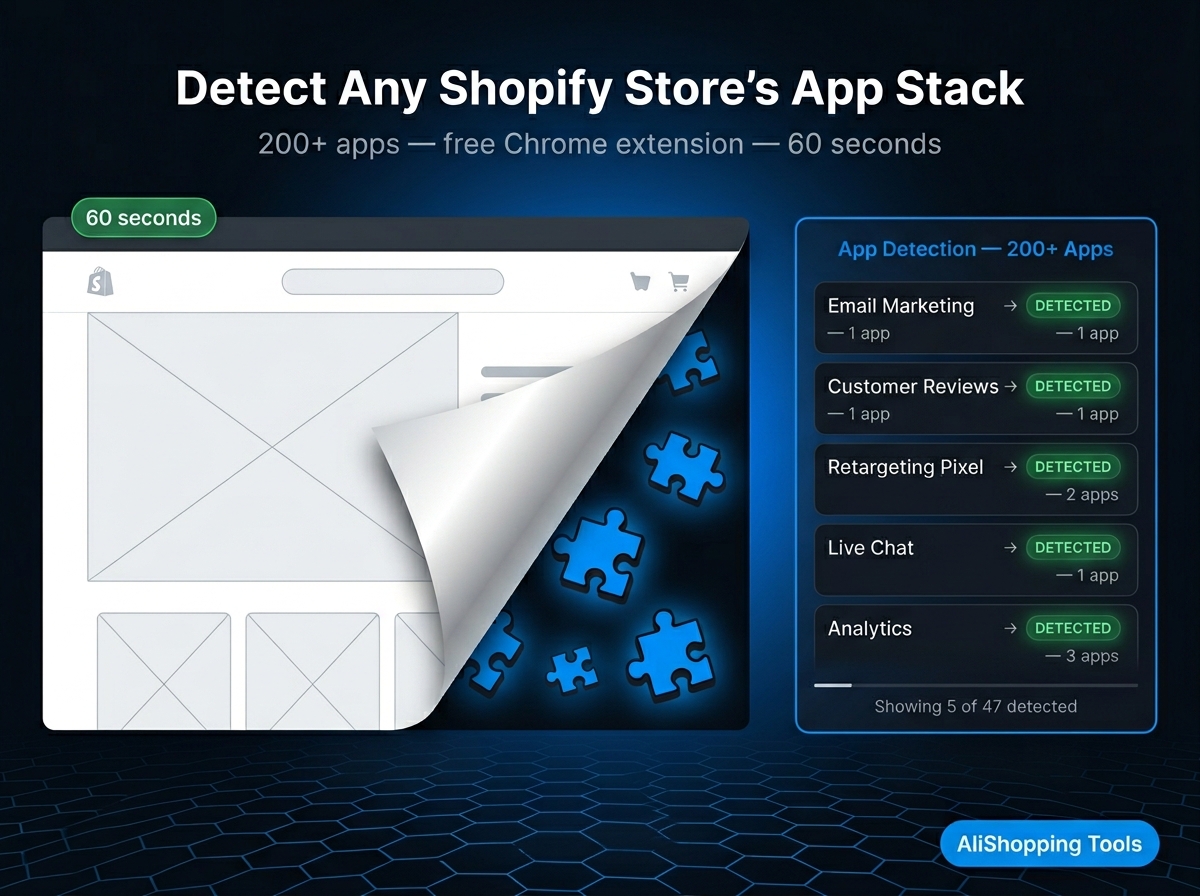
AliShopping Tools is the fastest free method. Install → visit store → see apps. Detects 200+ apps.
Apps commonly detected include:
- Email marketing: Klaviyo, Omnisend, Mailchimp, Drip
- Reviews: Yotpo, Judge.me, Loox, Okendo, Stamped.io
- Loyalty: Smile.io, LoyaltyLion, Growave
- Customer service: Gorgias, Tidio, Zendesk, Re:amaze, Freshdesk
- Subscriptions: ReCharge, Bold Subscriptions, Skio
- Returns: Loop Returns, ReturnGO, AfterShip Returns
- Upsell: ReConvert, CartHook, AfterSell, Bold Upsell
- Analytics: Hotjar, Lucky Orange, Heap, Microsoft Clarity
- Page builders: PageFly, GemPages, Shogun
- Payments: Shop Pay, PayPal, Klarna, Afterpay, Affirm
- Ads tracking: Meta Pixel, TikTok Pixel, Google Ads, Pinterest Tag
Step-by-step:
- Install AliShopping Tools from Chrome Web Store (free, no account)
- Visit any Shopify store
- Click extension icon → navigate to Apps section
- Read detected app list with category groupings
Time: 30-60 seconds.
Method 2 — BuiltWith.com (web-based, no install required)
BuiltWith.com is a free web service that shows the tech stack of any website, including Shopify apps.
How to use:
- Go to builtwith.com
- Enter the Shopify store URL
- Click "Lookup"
- Scroll to the "Ecommerce" and "Widgets" sections for Shopify app data
Pros: No Chrome extension installation required. Works from any browser.
Cons: Coverage is slightly less than AliShopping Tools (fewer Shopify-specific apps in the database). Data may be cached and not real-time.
Method 3 — Browser developer tools (technical, no install)
For technical users who do not want any extension installed:
- Open the Shopify store in Chrome
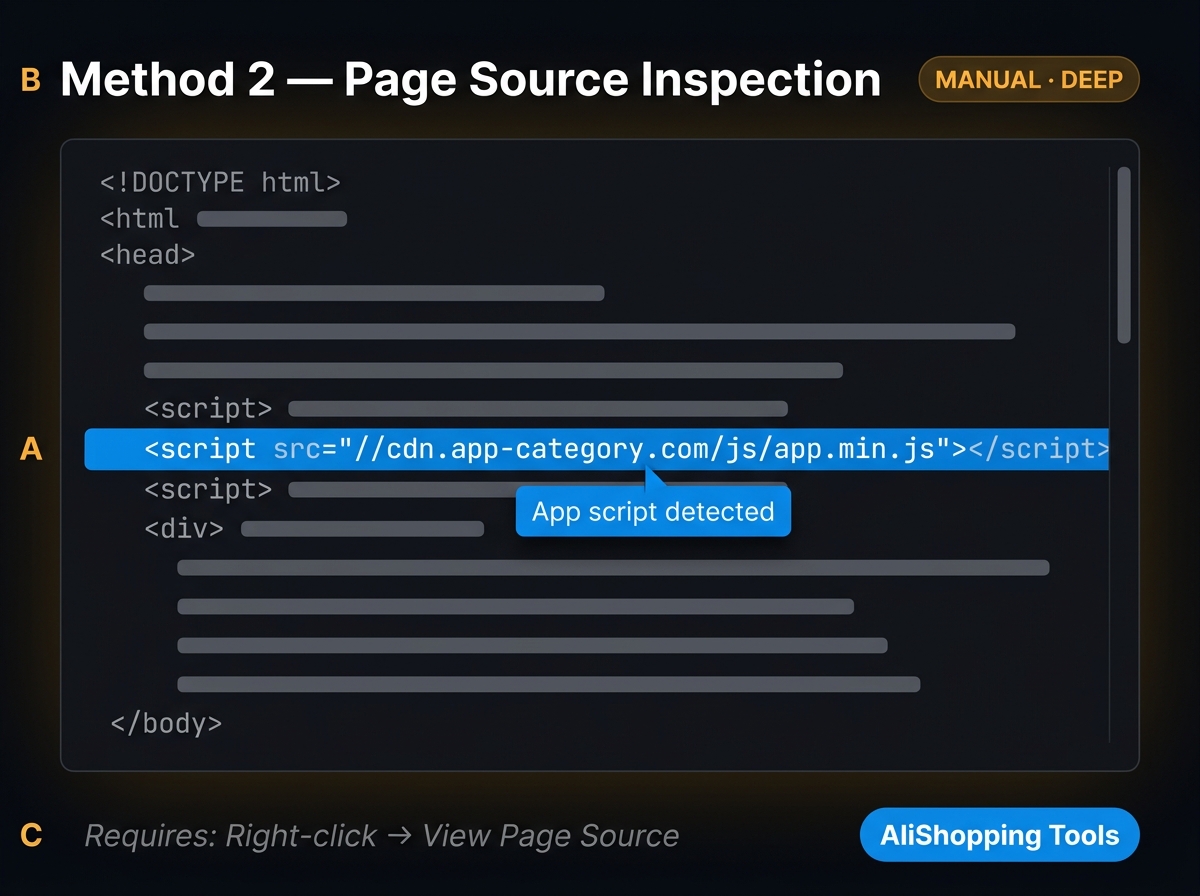
- Right-click the page → Inspect (or F12)
- Go to Network tab → reload the page → look at external script requests
- Filter by "JS" — look for scripts from recognisable app domains (klaviyo.com, yotpo.com, gorgias.com, tidio.com, etc.)
- Also check the Sources tab → inspect loaded scripts for app references in the code
Pros: No additional tools. Shows all loaded scripts.
Cons: Technical knowledge required. Time-consuming — 5-10 minutes per store vs. 60 seconds with an extension.
What tech stack detection reveals beyond apps
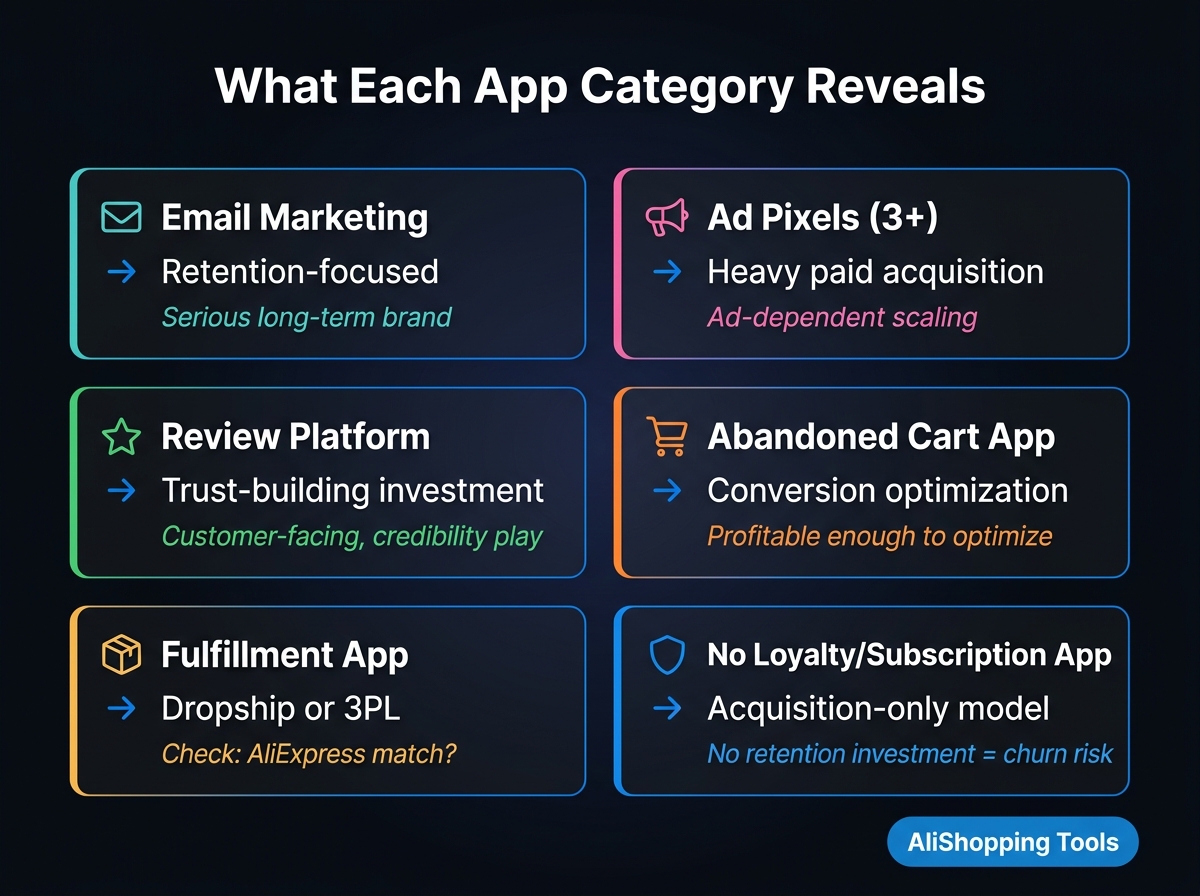
App detection is one layer — the same frontend signals also expose a store's broader tech stack: Shopify apps typically leave detectable traces via script tags, HTML classes/IDs, cookie patterns (e.g. Klaviyo's __kla_id), network requests, and meta tags. Beyond the app list, AliShopping Tools' panel also surfaces:
- Shopify theme name (Dawn, Debut, Prestige, or a premium third-party theme)
- CDN in use (Shopify's standard CDN, or a third-party asset host)
- Analytics tools (Google Analytics, Meta Pixel, TikTok Pixel)
- Page builder in use (PageFly, GemPages, Shogun, if any)
Theme detection and app detection answer different questions: app detection shows which tools run on top of Shopify (Klaviyo, Yotpo, ReCharge); theme detection shows the storefront design framework itself. Together they indicate a store's overall technical investment level.
What app/tech-stack detection does not reveal
- Revenue with precision — detection gives estimated revenue ranges based on app-stack and activity signals, not exact figures.
- Private/custom-built apps — stores that build in-house apps outside the Shopify App Store are not detectable.
- Backend-only apps — apps that never inject frontend code (some inventory/ops tools) leave no visible trace.
- Recently uninstalled apps — cached theme code can produce a false positive; treat results as "apps likely running," not "definitely active right now."
Free vs. paid alternatives
| Tool | Price | App detection breadth |
|---|---|---|
| AliShopping Tools | $0 | 200+ apps + tech stack (theme, CDN, pixels) |
| Koala Inspector free | $0 | 100+ apps (fewer than AliShopping) |
| Koala Inspector Pro | $7.99/mo | Broader + export features |
| Commerce Inspector / Shine | $29-99+/mo | Broad + historical |
| BuiltWith (web) | Free (basic) | Tech stack, not Shopify-app-specific |
For most dropshippers, AliShopping Tools' 200+ app detection plus tech-stack view covers the relevant competitive intelligence without a subscription.
What app detection tells you
Email marketing app → CRM sophistication
| App detected | What it signals |
|---|---|
| Klaviyo | Advanced email segmentation, automations, and SMS likely running. Professional operator. |
| Omnisend | Email + SMS marketing active. Mid-sophistication. |
| Mailchimp | Basic email marketing. Often beginner-to-mid stage. |
| No email app | Very early stage or acquisition-only model. |
Reviews app → trust-building investment
| App detected | What it signals |
|---|---|
| Yotpo | Investing in UGC, product ratings, and loyalty together. Scaling operator. |
| Judge.me / Loox | Active review collection. Growth stage. |
| No review app | Relying on organic trust signals or very early. |
Customer service app → support scale
| App detected | What it signals |
|---|---|
| Gorgias | Professional customer service team managing high ticket volume. |
| Tidio | Chat widget active, likely responding to real-time queries. |
| No helpdesk | Email-only or very low volume. |
Advertising pixels → active ad spend
| Pixel detected | What it signals |
|---|---|
| Meta Pixel | Running Facebook and/or Instagram ads. |
| TikTok Pixel | Running TikTok ads. |
| Pinterest Tag | Running Pinterest ads. |
| Google Tag Manager | Running Google ads or sophisticated tracking. |
| None | Organic-only or very early stage. |
Common questions when apps are not detected
"I see no apps — is the store not using any?"
Some apps only inject code into specific pages (cart, checkout). Visiting the homepage only may miss apps that activate elsewhere. Try visiting the product page, the cart, and if available, the account login page. Each may reveal different app fingerprints.
"The store shows different apps than expected"
Recently removed apps sometimes leave cached code in the theme that is still detectable. Treat the detection as "apps likely running or recently used" not "definitely active right now."
"Built-in Shopify features look like apps"
Some Shopify native features (Shop Pay, Shopify Email) appear as if they are third-party apps. Check the app's publisher in AliShopping Tools — if it says "by Shopify," it is a native feature, not a third-party app.
FAQ
How do I see what apps a Shopify store uses for free?
Install AliShopping Tools Chrome extension (free) and visit the store. It detects 200+ apps. Alternatively, use BuiltWith.com for a web-based check without any extension.
Can I detect Shopify apps without installing an extension?
Yes — use BuiltWith.com (free web service) or browser developer tools (technical method). The extension method is faster and more comprehensive.
Are Shopify app detections always accurate?
AliShopping Tools detects based on frontend code signals (scripts, HTML, cookies). Accuracy is high (85-95%) for major apps that consistently expose detectable fingerprints. Some apps with minimal frontend footprint may not be detected.
What is the most important app to detect on a competitor Shopify store?
Email marketing app (Klaviyo vs. basic) and advertising pixels (Meta + TikTok). These reveal whether a store is building a relationship with customers (email) and whether they are spending on paid acquisition (pixels) — the two biggest indicators of a serious vs. hobby operation.
Published by the AliShopping Tools team. App detection based on publicly visible Shopify store frontend data as of May 2026.
Ready to find winning products?
Try AliShopping Tools — 15 free AI tools for product research.
Quick answers
Frequently Asked Questions
1How do I detect what apps a Shopify store is using?
Install the AliShopping Tools Chrome extension (free), visit any Shopify store, and open the extension panel.
It detects over 200 apps including Klaviyo, Yotpo, Judge.me, ReCharge, Gorgias, Smile.io, PageFly, and many more.
Alternatively, BuiltWith.com provides a web-based check without requiring a browser extension.
2What Shopify apps can be detected from the outside?
Many Shopify apps leave detectable signals in the store's page source, loaded scripts, or network requests — including email marketing tools, loyalty programs, review apps, page builders, subscription apps, live chat, and analytics platforms.
Over 200 common Shopify apps have detectable fingerprints that browser-based tools can identify.
3Why would I want to know what apps a competitor Shopify store uses?
A competitor's app stack reveals their operational strategy — which tools they invest in for email, retention, conversion, customer service, and fulfillment.
If a store runs ReCharge, they have a subscription model.
If they run Gorgias, they invest in customer service at scale.
This intelligence helps you understand how mature a competitor is and what to benchmark against.
4Is detecting Shopify store apps legal?
Yes.
App detection works by reading publicly available information in the store's page source and loaded scripts — information any website visitor's browser receives.
No hacking, unauthorized access, or private data is involved.
The same information is available through browser developer tools to any visitor.
5Can I detect the apps a Shopify store uses if the store is on a custom domain or sub‑domain?
Yes, you can detect the apps a Shopify store uses even if it operates on a custom domain or sub‑domain, because the detection relies on the page source, not the URL.
When you visit the store with the AliShopping Tools Chrome extension installed, the tool scans the HTML, JavaScript files, and network calls for signatures of known Shopify apps.
It works the same on example.com, shop.example.com, or any branded domain.
The extension does not require the store’s original Shopify URL, so you’ll see the same list of 200+ apps within seconds, regardless of the domain configuration.
6What is the detection accuracy of the free AliShopping Tools Chrome extension for Shopify apps, and how many apps can it identify?
The extension is built to recognize signatures for 200+ popular Shopify app integrations by scanning page source, scripts, and network calls, with its signature database updated periodically as new apps and versions appear.
We don't have an independently benchmarked accuracy percentage from a controlled test set to cite here — a small number of low-profile apps that hide their code entirely will typically be missed by any browser-based detection method, not just this one.
7Which Shopify apps are typically hidden from free detection tools, and why might they not appear in the results?
Apps that run entirely server-side, or that load their code from private/encrypted assets — often payment processing, custom checkout logic, or proprietary analytics — are the hardest for any browser-based detection tool to fingerprint, AliShopping Tools included.
Front-end-visible features like review widgets, loyalty programs, and email-capture forms are much more reliably detected.
There's no fixed percentage of "hidden" apps we can quote since it varies enormously by store; cross-checking a store's own app-related footer text or reaching out to the merchant can help close specific gaps.
8How do I export the list of apps detected by the AliShopping Tools extension into a spreadsheet for competitor analysis?
Open the AliShopping Tools panel on the target store and use the CSV export option to get the detected app list, which you can then open in Google Sheets or Excel for further analysis across stores.
Export time depends on how many apps were detected, so there's no fixed number of seconds to quote.
9Is there a way to discover Shopify apps on a store using only a mobile device without installing a desktop extension?
On mobile you can use a web-based scanner (like BuiltWith) or your mobile browser's "view source" option to look for known app script identifiers (e.g. `/apps/klaviyo.js`, `data-recharge-widget`) — this won't be as complete as a dedicated browser extension, but it can give you a reasonable snapshot on the go.
It reveals a similar category of front-end-visible apps to what AliShopping Tools shows on desktop, though exact coverage will differ since it's a different detection method.
10What is the difference between Shopify app detection and theme detection?
App detection identifies installed applications — tools like Klaviyo, Yotpo, ReCharge — that run on top of Shopify.
Theme detection identifies the storefront design framework itself — whether the store uses Dawn, Debut, or a premium third-party theme.
Both together paint a picture of the store's technical investment level.
11Can the free detection method reveal which payment gateways a Shopify store uses?
Detection tools can often surface which payment gateways are active by reading the checkout form and related data-layer variables (Stripe, PayPal, Apple Pay, Klarna, etc.), when that information is exposed client-side.
Exact detection speed and completeness vary by store setup, so treat specific per-store timing numbers as illustrative rather than benchmarked.
12What privacy considerations should I keep in mind when using a Chrome extension to scan Shopify stores?
Check AliShopping Tools' own published privacy policy for the specifics of what it collects and how — we shouldn't assert exact data-handling behavior (like a specific hourly telemetry schedule) here without pointing you to that source of truth.
As a general practice with any extension, review the requested permissions and installed-from-official-store status before granting access.
13Does the detection work on mobile browsers or only on desktop Chrome?
The detection works on desktop Chrome; mobile browsers need a desktop‑mode or remote debugging.
AliShopping Tools can be installed on Android Chrome, but you must enable "Desktop site" to load the extension.
On iOS Safari, the extension is not supported, so you'll need to use a desktop browser or a Chrome emulator.
More from the blog
AliExpress Vacation Sale July 2026 Promo Codes — Up to 80% OFF + How to Apply
Every active AliExpress promo code for July 2026 — Vacation Sale codes by country and how to apply them at checkout.
3 min read
PDRN Collagen Skincare Dupes: 10 Real AliExpress Alternatives to TikTok Shop's #1 K-Beauty Trend (July 2026)
PDRN/collagen K-beauty is #1 on TikTok Shop US. 10 real AliExpress dupes — verified prices, sold counts, honest gaps.
14 min read
How to Use AStools Deals After You Sign Up: Full Guide
A complete walkthrough of your AStools Deals account after signing up — watchlist, collections, price alerts, profit simulator, and AliExpress connection.
8 min read