How to Detect Shopify Store Apps and Tech Stack (Free Method)
How to Detect Shopify Store Apps and Tech Stack (Free)
Quick answer: Install the free AliShopping Tools Chrome extension, visit any Shopify store, and open the Apps section in the panel — it automatically detects 200+ apps including Klaviyo, Yotpo, Gorgias, ReCharge, and more by reading the store's publicly visible frontend code, no account needed.
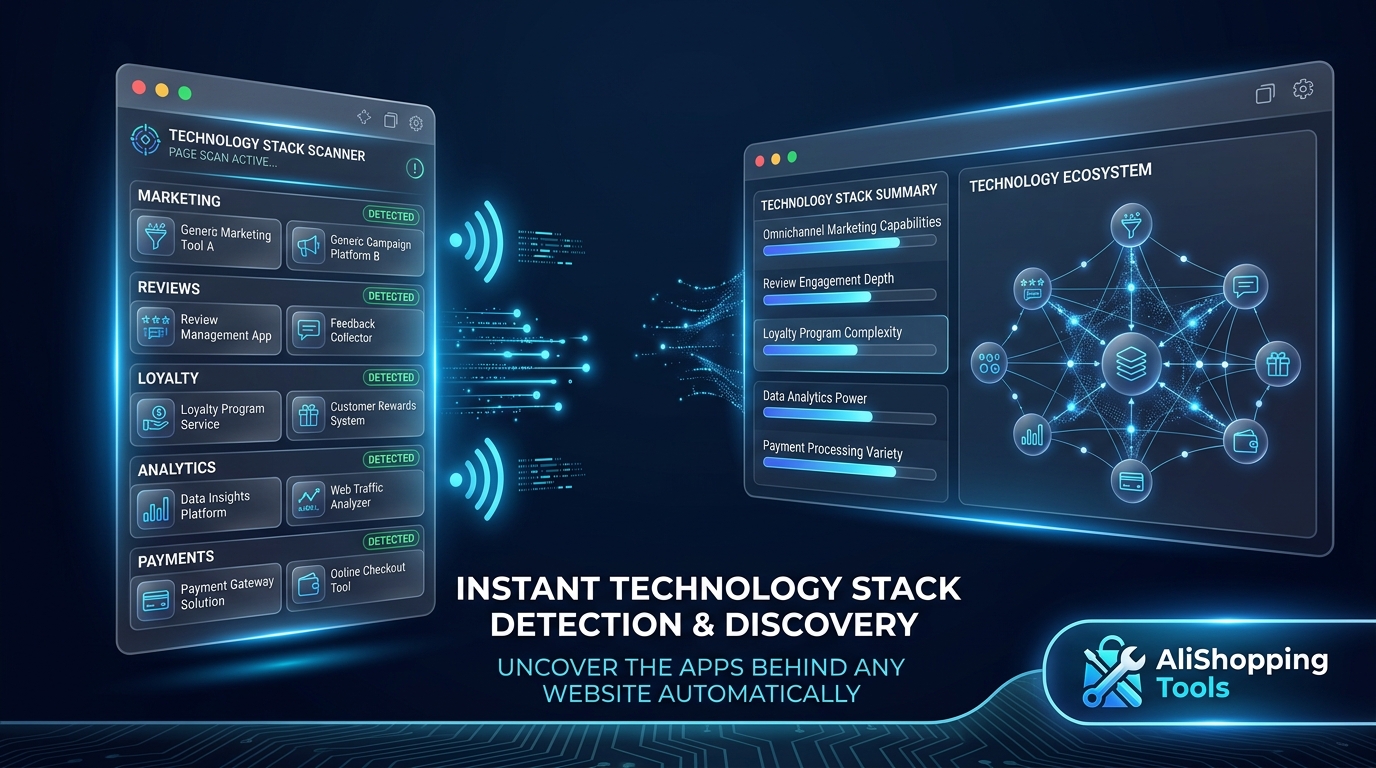
Knowing what apps a successful Shopify store uses tells you: how they handle email marketing, customer loyalty, reviews, returns, upsells, and customer service. It is a shortcut to understanding what is working in a niche without building your own stack from scratch.
Install AliShopping Tools — detects 200+ apps on any Shopify store →
This guide explains the free method to detect any Shopify store's apps and tech stack in under 60 seconds.
How Shopify app detection works
Shopify apps typically leave detectable traces on the store's frontend:
- Script tags — Most apps inject JavaScript into the store's theme (for analytics, chat widgets, popups, etc.). These scripts are visible in the page source and identifiable by their source URLs.
- HTML classes and IDs — Apps often add specific CSS classes or HTML IDs to elements they control. These are readable in the DOM.
- Cookie patterns — Apps set identifiable cookies (Klaviyo's
__kla_id, Recharge's session cookies, etc.). - Network requests — Apps make calls to their own servers with identifiable domain names visible in the browser's network tab.
- Meta tags — Some apps add specific
<meta>tags to the page head.
AliShopping Tools reads these signals automatically and matches them against a database of 200+ known app fingerprints.
Step-by-step: detect Shopify apps for free
Step 1 — Install AliShopping Tools Install from Chrome Web Store. Free, no account.
Step 2 — Visit the Shopify store Navigate to any Shopify store URL. The extension detects that it is a Shopify store and activates.
Step 3 — Open the extension panel Click the AliShopping Tools icon or wait for the panel to appear (if auto-open is enabled). Navigate to the Apps or Store Info section.
Step 4 — Read the app list The panel shows detected apps categorised by function:
- Marketing (Klaviyo, Omnisend, Mailchimp)
- Reviews (Yotpo, Judge.me, Loox)
- Loyalty (Smile.io, LoyaltyLion)
- Customer service (Gorgias, Tidio, Zendesk)
- Subscriptions (ReCharge, Bold)
- Returns (Loop Returns, ReturnGO)
- Upsell (ReConvert, AfterSell)
- Analytics (Hotjar, Lucky Orange, Heap)
- Payments (Shop Pay, PayPal, Klarna)
Step 5 — Read the tech stack Beyond apps, the panel shows:
- Shopify theme name (Dawn, Debut, Prestige, etc.)
- CDN in use (Shopify CDN standard, or third-party)
- Analytics tools (Google Analytics, Meta Pixel, TikTok Pixel)
- Page builder (if any — PageFly, GemPages, etc.)
What app detection tells you about a store
Marketing apps reveal customer acquisition strategy
A store running Klaviyo (or Omnisend) has email marketing active — they are capturing emails and nurturing customers post-purchase. This signals a retention-focused operation, not just acquisition-only.
A store with ReCharge has subscription products — a more sophisticated monetisation model. If they are succeeding with subscriptions in your niche, that is a viable expansion path.
A store with only a basic email tool (or no email app detected) may be in early stage or acquisition-only — a potential advantage if you build email nurture they have not.
Review apps reveal trust-building investment
A store with Yotpo or Judge.me is actively collecting and displaying reviews. High-volume review apps with verified purchase flags build trust faster. If a competing store has 5,000 Yotpo reviews and you have none, that is a trust gap to plan around.
Customer service apps reveal scale
Gorgias (starts at $10/mo) vs. no customer service app detected — the latter is either very early stage or handling support via email. A store scaling past 100 orders/day typically needs a helpdesk app; absence of one suggests they are not at that scale.
Analytics apps reveal optimisation sophistication
Hotjar + Google Analytics + Triple Whale (or Northbeam) together signal a data-driven operator who tracks behaviour, acquisition, and attribution seriously. Absence of heatmapping tools does not mean they are not successful — it may mean they have found their formula and do not need exploratory testing.
What app detection does not reveal
- Revenue with accuracy — App detection gives revenue estimates, not exact figures. AliShopping Tools shows estimated revenue ranges based on app stack signals and store activity.
- Private Shopify apps — Some stores build custom apps not on the App Store. These are not detectable.
- Apps that do not inject frontend code — Backend-only apps (some inventory management, internal tools) leave no frontend trace and are not detectable.
- Uninstalled apps — If a store removed an app but cached code persists, you may see a false positive. Treat the list as "apps likely running" not "apps definitely running."
Free vs. paid alternatives
| Tool | Price | App detection breadth |
|---|---|---|
| AliShopping Tools | $0 | 200+ apps |
| Koala Inspector free | $0 | 100+ apps (fewer than AliShopping) |
| Koala Inspector Pro | $7.99/mo | Broader + export features |
| Commerce Inspector / Shine | $29-99+/mo | Broad + historical |
| BuiltWith (web) | Free (basic) | Tech stack, not Shopify-specific |
For most dropshippers, AliShopping Tools' 200+ app detection covers the relevant competitive intelligence without a subscription.
FAQ
Can I see which apps a Shopify store uses for free?
Yes. AliShopping Tools Chrome extension (free) detects 200+ Shopify apps and the tech stack on any Shopify store page without an account.
How many Shopify apps can AliShopping Tools detect?
200+ apps across all major categories: marketing, reviews, loyalty, customer service, subscriptions, returns, upsell/cross-sell, analytics, payment, and page builders.
Is it legal to detect what apps a Shopify store uses?
Yes. This method reads publicly visible frontend code — the same information any user with developer tools can access. It does not involve hacking, bypassing authentication, or accessing private data.
Why would I want to know a competitor's app stack?
To learn what is working at the niche level without building your own stack from zero. If the top 5 stores in your niche all use Klaviyo, that is a strong signal that email marketing is worth investing in. If none of them have a review app, you can differentiate by being the first to build a review foundation.
Based on publicly observable Shopify store frontend data analysis. App detection accuracy varies by app version and implementation.
Sẵn sàng tìm sản phẩm thắng?
Thử AliShopping Tools — 15 công cụ AI miễn phí cho nghiên cứu sản phẩm.
Giải đáp nhanh
Câu hỏi thường gặp
How do I detect a Shopify store's full tech stack for free?
Install the AliShopping Tools Chrome extension and visit any Shopify store.
The extension detects over 200 apps plus the store theme, analytics tools (Google Analytics, Meta Pixel, TikTok Pixel), payment methods, and whether the store runs ads.
No account is required.
BuiltWith.com offers a web-based alternative for store tech stack detection.
What does a Shopify store tech stack reveal?
A tech stack analysis shows which tools a store uses for email marketing, loyalty, reviews, page design, fulfillment, and customer service.
Combined with store classification (brand vs. dropshipper), app stack data reveals whether a competitor is a scrappy dropshipper with few tools or a serious DTC operation with deep retention infrastructure.
What is the difference between Shopify app detection and theme detection?
App detection identifies installed applications — tools like Klaviyo, Yotpo, ReCharge — that run on top of Shopify.
Theme detection identifies the storefront design framework — whether the store uses Dawn, Debut, or a premium third-party theme.
Both together paint a picture of the store's technical investment level.
How accurate is browser-based Shopify app detection?
Accuracy depends on how visible each app's fingerprint is.
Apps that load external scripts or use unique CSS classes are reliably detected.
Apps that operate purely server-side without client-visible signals may not be detectable.
Detection coverage of 200 plus common apps covers the majority of the Shopify app ecosystem that matters for competitive research.
Bài viết khác
How to Detect What Apps a Shopify Store Is Using
Detect any Shopify store's installed apps in 60 seconds — free Chrome extension method. See Klaviyo, Yotpo, Gorgias, ReCharge, and 200+ other apps without a subscription.
6 phút đọc
AliExpress August 2026 Promo Codes — Back to School Sale Deals + How to Apply
Every active AliExpress promo code for August 2026 — Back to School Sale codes by country, how to apply them at checkout, and the best categories to shop this month. Codes updated regularly.
3 phút đọc
How to Do Product Research for Dropshipping: 7-Step Framework (Free Tools, 2026)
A repeatable 7-step product research framework for dropshippers in 2026 — from idea sourcing to live testing, using only free tools. No Ecomhunt subscription needed.
12 phút đọc